


Introduction
Detailed documentation, responsive design, customizable modules... give yourself the tools you need to become a leader in your market and exceed your growth ambitions.
It's simple and easy! You can start by going through our documentation to understand how to customize and develop your project to include our features:
Global Header
This is the main header for your main website pages. You can edit the logo, menu, and button.

Landing Page Header
A simple header for all landing pages.

Global Footer
This is the main footer for the website pages. You can edit the logo, menu, and all the text.

Landing Page Footer
A simple footer for all landing pages.

Banner Area
It's a hero banner that can be mainly added to the top of the pages.
Transform Education
Lorem Ipsum is simply dummy text of the printing and typesetting industry. Lorem Ipsum has been the industry's standard dummy text ever since the 1500s, when an unknown printer took a galley of type and scrambled it to make a type specimen book. It has survived not only five centuries, but also the leap into electronic typesetting, remaining essentially unchanged.
Field Used in Modules
Name
Description
Content Fields
- Heading
- Edit Title on top
- Content
- Insert description for the section
- Button Items
- It is giving you option to add multiple buttons and their respective fields.
- Button Styling
- You can choose the button styling.
- Button Text
- Insert the button text
- Button Link
- Choose the page link
- Image
- Choose the image you want to display
- Select Bookmark
- Enable this field if you want to add bookmark on the page
- Bookmark Text
- Insert Section Title of the page
- Bookmark Link
- Link your section id or page link you want to attach to it.
Style Fields
- Module Setting - Left Column Width(%)
- Give the Left Column width of your choice. It can be 1 to 100 but used according to your requirement
- Module Setting - Right Column Width(%)
- Give the Right Column width of your choice. It can be 1 to 100 but used according to your requirement
- Module Setting - Desktop
- You can update the top and bottom padding for the desktop.
- Module Setting - Mobile
- You can update the top and bottom padding for the mobile.
Bottom Section
This section is mainly used on top of the footer.
Curious to learn more?
Field Used in Modules
Name
Description
Content Fields
- Title
- Edit Title for the section
- Button Text
- Insert the button text
- Button Link
- Choose the link
- Background Image
- Insert the background image of your choice.
Card Section
If you want to add a card to your website, please use this module.
Our Mission
Contextual advertising can be profitable. It can either pay for your hosting and maintenance costs for you website or it can pay for a lot more.
Oppurtunity
Contextual advertising can be profitable. It can either pay for your hosting and maintenance costs for you website or it can pay for a lot more.
Time
Contextual advertising can be profitable. It can either pay for your hosting and maintenance costs for you website or it can pay for a lot more.
Field Used in Modules
Name
Description
Content Fields
- Image
- Choose the image you want to display
- Title
- Edit Title for card
- Title heading type
- Choose the Font size of Title
- Text
- Add description on the card
Co-Founder Listing
You can add all the founders of your organization here.
Our Founder
Martha Nielsen
Toby Stephens
Field Used in Modules
Name
Description
Content Fields
- Section Id
- For uniquely identifying the module
- Title
- Edit Title for top
- Content
- Write the description
- Column Width
- Choose column width
- Co-Founders Group - Alignment
- Choose the alignment of image.
- Co-Founders Group - Image
- Choose image
- Co-Founders Group - Founder Name
- Edit Founder name
- Co-Founders Group - Content
- Write more about the founder.
- Our Team Group - Title
- You can add a title for a group photo below the list
- Our Team Group - Image
- You can a group photo below the list
Style Fields
- Background Color
- Insert the background color of your choice.
- Desktop Spacing
- For giving padding and margin on the module
- Mobile Spacing
- For giving padding and margin on the module in Mobile
Custom Logo
Logo slider to show partners, media, customers, or any visual identity that revolves around your organization.
Field Used in Modules
Name
Description
Content Fields
- Title
- Write title and description for telling more about partner, and customer.
- Image
- Choose the image you want to display
Key Benefits
You can add here key benefits by joining your organization.
Key Benefits
Field Used in Modules
Name
Description
Content Fields
- Title
- Edit Title for the section
- Column Width
- Choose column width from dropdown
- Background Color
- Insert the background color for the column card of your choice.
- Icon
- Choose the Icon image of your choice.
- Content
- Add description
Style Fields
- Background Color
- Insert the background color of your choice.
Our Achievements
You can add here key benefits by joining your organization.
Our Achievements
Winner
3rd Place
Winner
Winner
Field Used in Modules
Name
Description
Content Fields
- Section Id
- For uniquely identifying the module
- Title
- Edit Title for the section
- Icon Image
- Choose the Icon image of your choice.
- Title
- Edit Title of column
- Content
- Add description
Style Fields
- Text Color
- Give text color.
- Desktop Spacing
- For giving padding and margin on the module.
- Mobile Spacing
- For giving padding and margin on the module in Mobile.
Our Hiring Process
This module has options to add a background image, content, and button.
Our Hiring Process
Field Used in Modules
Name
Description
Content Fields
- Background Image
- Insert the background image of your choice.
- Content
- Insert content in the module.
- Button Styling
- Choose the style of the button.
- Button Link
- Add a link on the button.
- Button Text
- Edit button text.
Our Impact
You can write your organizational impact here.
Our Impact
100+
55+
200+
Field Used in Modules
Name
Description
Content Fields
- Background Color
- Insert the background color of your choice.
- Title
- Edit Title for the section
- Number
- Write the number
- Subtitle
- You can write text here.
- Background Color
- Edit the background color of the card.
- Number Color
- Give color for the number field.
Style Fields
- Desktop Spacing
- For giving padding and margin on the module.
- Mobile Spacing
- For giving padding and margin on the module in Mobile.
- Background Color
- For uniquely identifying the module
Our History
You can tell here about your past actions.

Field Used in Modules
Name
Description
Content Fields
- Section Id
- For uniquely identifying the module
- Section Heading
- Edit Title for the section
- Icon Image
- Choose icon image.
- Title
- Write title
- Content
- Add some content.
- Bottom Icon Alignment
- Choose Bottom Icon Alignment.
Style Fields
- Background Color
- Insert the background color of your choice.
Our Investor
You can tell here about your investor briefly.
Our Investors
Lorem Ipsum is simply dummy text of the printing and typesetting industry.Lorem Ipsum has been the industry's standard dummy text ever

Microsoft
Lorem Ipsum is simply dummy text of the printing and typesetting industry.Lorem Ipsum has been the industry's standard dummy text ever


Walmart
Lorem Ipsum is simply dummy text of the printing and typesetting industry.Lorem Ipsum has been the industry's standard dummy text ever
Field Used in Modules
Name
Description
Content Fields
- Section Heading
- Edit Title for the section
- Background Color
- Insert the background color of your choice around the image.
- Image
- Choose your investor image.
- Title
- Write your investor name
- Content
- Add some content about your investor
- Read More
- Button Text for the page of your investor site.
- Read More Link
- The page link for your investor site.
Style Fields
- Background Color
- Insert the background color of your choice.
Our Values
You can tell here about what your organization believes in.
Our Values
Purpose-Driven
We believe in what we doVersatility
We believe in what we doPurpose-Driven
IntegrityField Used in Modules
Name
Description
Content Fields
- Section Id
- For uniquely identifying the module
- Section Heading
- Edit Title for the section
- Icon Image
- Choose image.
- Title
- Write the title for the column.
- Content
- Add some description.
- Background Color
- Insert the background color of your choice for the card.
Style Fields
- Background Color
- Insert the background color of your choice.
Photo Collage
Insert a carousel with the capability of vertical sliding as well.
Photo Collage
Field Used in Modules
Name
Description
Content Fields
- Title
- Edit Title for the section
- Add Left Column Image - Image
- Add images here you want to show on the left side
- Add Right Column Image - Image
- Add images here you want to show on the Right side in vertical slides.
Slider
Add a slider in your website pages to launch images and content in a modal window. Click on images to view the modal window.
Testimonials
Team
Team
Lorem Ipsum is simply dummy text of the printing and typesetting industry. Lorem Ipsum has been the industry's standard dummy text ever since the 1500s, when an unknown printer took a galley of type and scrambled it to make a type specimen book. It has survived not only five centuries, but also the leap into electronic typesetting, remaining essentially unchanged. It was popularised in the 1960s with the release of Letraset sheets containing Lorem Ipsum passages, and more recently with desktop publishing software like Aldus PageMaker including versions of Lorem Ipsum.
Content Management System
Lorem Ipsum is simply dummy text of the printing and typesetting industry. Lorem Ipsum has been the industry's standard dummy text ever since the 1500s, when an unknown printer took a galley of type and scrambled it to make a type specimen book. It has survived not only five centuries, but also the leap into electronic typesetting, remaining essentially unchanged. It was popularised in the 1960s with the release of Letraset sheets containing Lorem Ipsum passages, and more recently with desktop publishing software like Aldus PageMaker including versions of Lorem Ipsum.
Ultimate Guide

Ultimate Guide
Lorem Ipsum is simply dummy text of the printing and typesetting industry. Lorem Ipsum has been the industry's standard dummy text ever since the 1500s, when an unknown printer took a galley of type and scrambled it to make a type specimen book. It has survived not only five centuries, but also the leap into electronic typesetting, remaining essentially unchanged. It was popularised in the 1960s with the release of Letraset sheets containing Lorem Ipsum passages, and more recently with desktop publishing software like Aldus PageMaker including versions of Lorem Ipsum.
Content Management System
Lorem Ipsum is simply dummy text of the printing and typesetting industry. Lorem Ipsum has been the industry's standard dummy text ever since the 1500s, when an unknown printer took a galley of type and scrambled it to make a type specimen book. It has survived not only five centuries, but also the leap into electronic typesetting, remaining essentially unchanged. It was popularised in the 1960s with the release of Letraset sheets containing Lorem Ipsum passages, and more recently with desktop publishing software like Aldus PageMaker including versions of Lorem Ipsum.
Field Used in Modules
Name
Description
Content Fields
- Title
- Edit Title for the section
- Testimonial image
- Choose images of the carousel to show
- Testimonial name
- Insert Title of Carousel
- Content
- Insert Content of Carousel
Style Fields
- Background Color
- Choose your section background color
Testimonials
Insert a testimonial review card on your website pages.
Testimonials
I work in the administration with tasks like adapting the syllabus to the teaching and assessment so it is very valuable to understand how TBL works in rael life to be able to transform it to a legal language. it is very valuable to understand how TBL works in rael life to be able to transform it to a legal language.

Justin
Customer Success Advisor
I work in the administration with tasks like adapting the syllabus to the teaching and assessment so it is very valuable to understand how TBL works in rael life to be able to transform it to a legal language. it is very valuable to understand how TBL works in rael life to be able to transform it to a legal language.
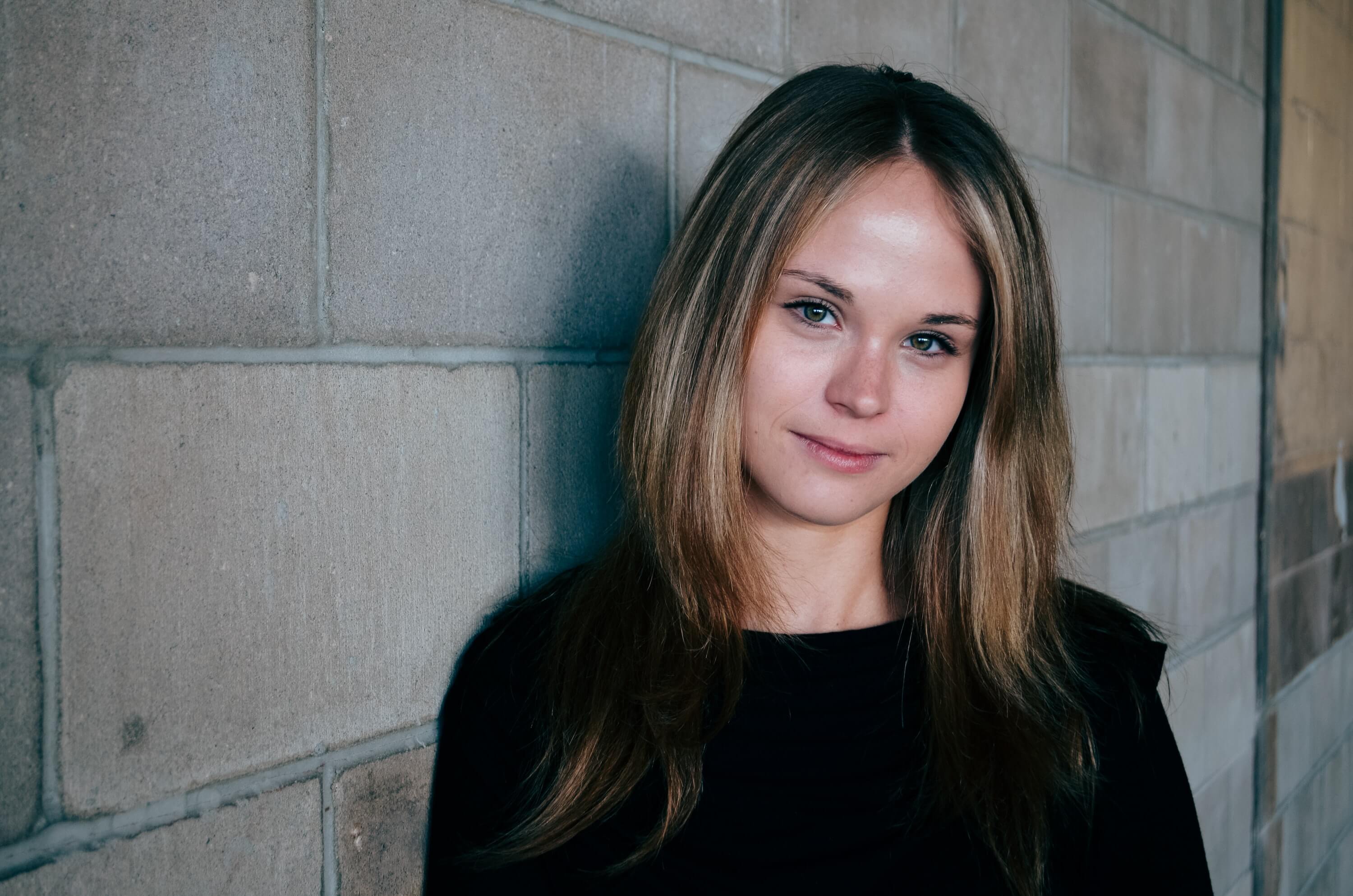
Carolina Carneck
Customer Success Advisor
I work in the administration with tasks like adapting the syllabus to the teaching and assessment so it is very valuable to understand how TBL works in rael life to be able to transform it to a legal language. it is very valuable to understand how TBL works in rael life to be able to transform it to a legal language.

Kelly
Customer Success Advisor
I work in the administration with tasks like adapting the syllabus to the teaching and assessment so it is very valuable to understand how TBL works in rael life to be able to transform it to a legal language. it is very valuable to understand how TBL works in rael life to be able to transform it to a legal language.
Alba Flores
Customer Success Advisor
Field Used in Modules
Name
Description
Content Fields
- Title
- Edit Title for the section
- Summary
- Insert the message of the author
- Testimonial Image
- Add an image of the author.
- Testimonial name
- Write name of the author.
- Subtitle
- Add some information about the author like designation.
Two Column with Content
You can use it when you want to add image on one side and content on another side.
About Us
Lorem Ipsum is simply dummy text of the printing and typesetting industry. Lorem Ipsum has been the industry's standard dummy text ever since the 1500s, when an unknown printer took a galley of type and scrambled it to make a type specimen book. It has survived not only five centuries, but also the leap into electronic typesetting, remaining essentially unchanged. It was popularised in the 1960s with the release of Letraset sheets containing Lorem Ipsum passages, and more recently with desktop publishing software like Aldus PageMaker including versions of Lorem Ipsum.
Field Used in Modules
Name
Description
Content Fields
- Section Id
- For uniquely identifying the module
- Column Reverse
- Enable to reverse the content
- Image
- Add an image
- Heading
- Edit heading for the column
- Content
- Add description
- Button Styling
- Choose styling of the button
- Button Link
- Add Link to the button
- Button Text
- Write button text which you want to show.
- Circle
- Enable this option if you want to show a circle on the left side of the section.
Style Fields
- Background Color
- Insert the background color of your choice.
- Circle Color
- If you had enabled circle then this field will display in the style section to provide color to the circle.
- Desktop Spacing
- You can update the top and bottom padding for the desktop.
- Mobile Spacing
- You can update the top and bottom padding for the mobile.
Two Column With Icon Content
You can use add image and content with columns on right side
About Us
Lorem Ipsum is simply dummy text of the printing and typesetting industry. Lorem Ipsum has been the industry's standard dummy text ever since the 1500s, when an unknown printer took a galley of type and scrambled it to make a type specimen book.
Saves time by automating grading
Improves outcomes
Enables active collaborative learning
Field Used in Modules
Name
Description
Content Fields
- Section Id
- For uniquely identifying the module
- Column Reverse
- Enable to reverse the content
- Image
- Add an image
- Heading
- Edit heading for the column
- Content
- Add description
- Icon Image
- Choose the image which you want to show.
- Title
- Add title
- Button Styling
- Choose styling of the button
- Button Link
- Add Link to the button
- Button Text
- Write button text which you want to show.
Style Fields
- Background Color
- Insert the background color of your choice.
Two Column with Image Banner Home
You can use this hero banner on your website.
About Us
Lorem Ipsum is simply dummy text of the printing and typesetting industry. Lorem Ipsum has been the industry's standard dummy text ever since the 1500s, when an unknown printer took a galley of type and scrambled it to make a type specimen book. It has survived not only five centuries, but also the leap into electronic typesetting, remaining essentially unchanged. It was popularised in the 1960s with the release of Letraset sheets containing Lorem Ipsum passages, and more recently with desktop publishing software like Aldus PageMaker including versions of Lorem Ipsum.
Vision
Lorem Ipsum is simply dummy text of the printing and typesetting industry.
Field Used in Modules
Name
Description
Content Fields
- Section Id
- For uniquely identifying the module
- Heading
- Edit heading for the column
- Content
- Add description
- Button Styling
- Choose styling of the button
- Button Link
- Add Link to the button
- Button Text
- Write button text which you want to show.
- Card - Image
- Add an image
- Card - Title
- Add title
- Card - Content
- Add description
Style Fields
- Background Color
- Insert the background color of your choice.
Why Join Us
You can add content and image multiple times.
Why Join Us?
See your impact
Lorem Ipsum is simply dummy text of the printing and typesetting industry. Lorem Ipsum has been the industry's standard dummy text ever since the 1500s, when an unknown printer took a galley of type and scrambled it to make a type specimen book.
See your impact
Lorem Ipsum is simply dummy text of the printing and typesetting industry. Lorem Ipsum has been the industry's standard dummy text ever since the 1500s, when an unknown printer took a galley of type and scrambled it to make a type specimen book.
Field Used in Modules
Name
Description
Content Fields
- Section Heading
- Edit heading for the column
- Image Alignment
- Choose which side you want to show the image left or right.
- Heading
- Add Heading.
- Content
- Add description
- Image
- Choose image.
- Left Column Width
- You can increase/decrease the width of the left column according to your choice.
- Right Column Width
- You can increase/decrease the width of the right column according to your choice.
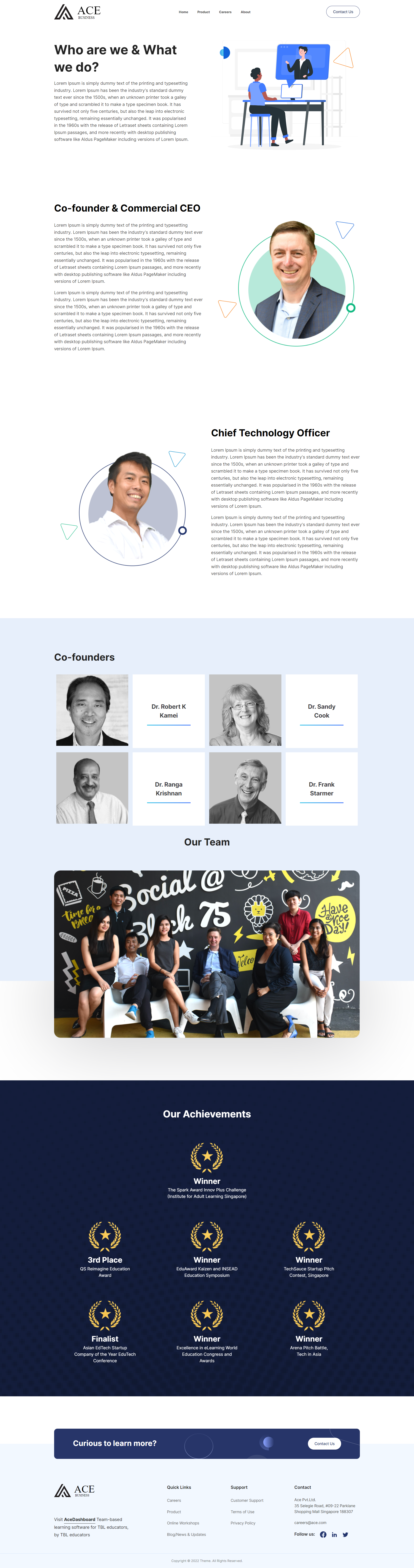
Home
This is a sample of the home page layout of your website.

About
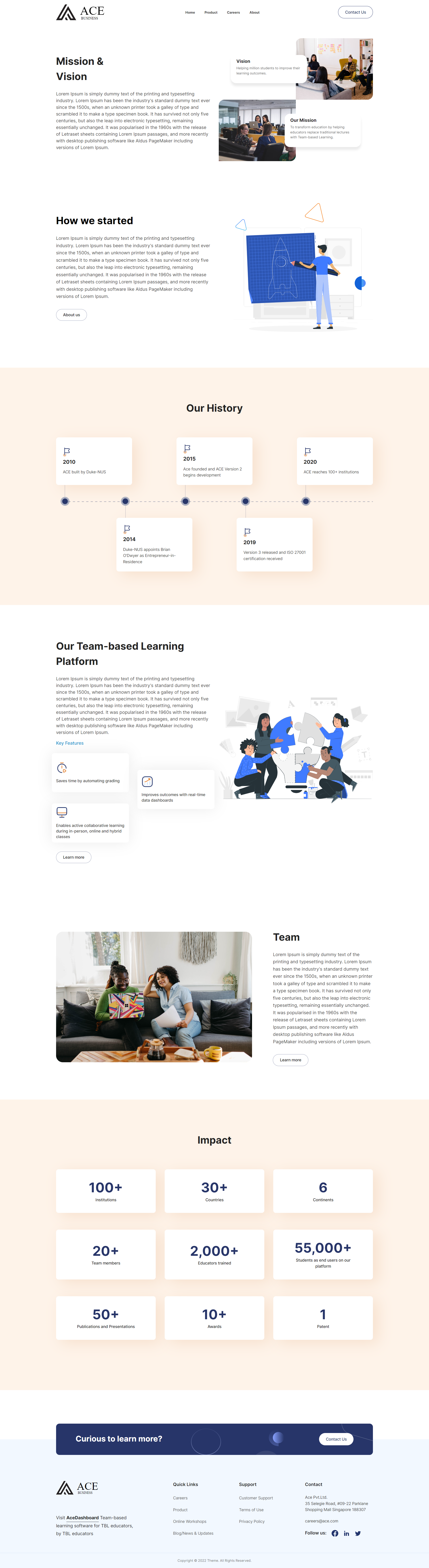
This is a sample of the about page layout of your website.

Contact
This is a sample of the contact page layout of your website.

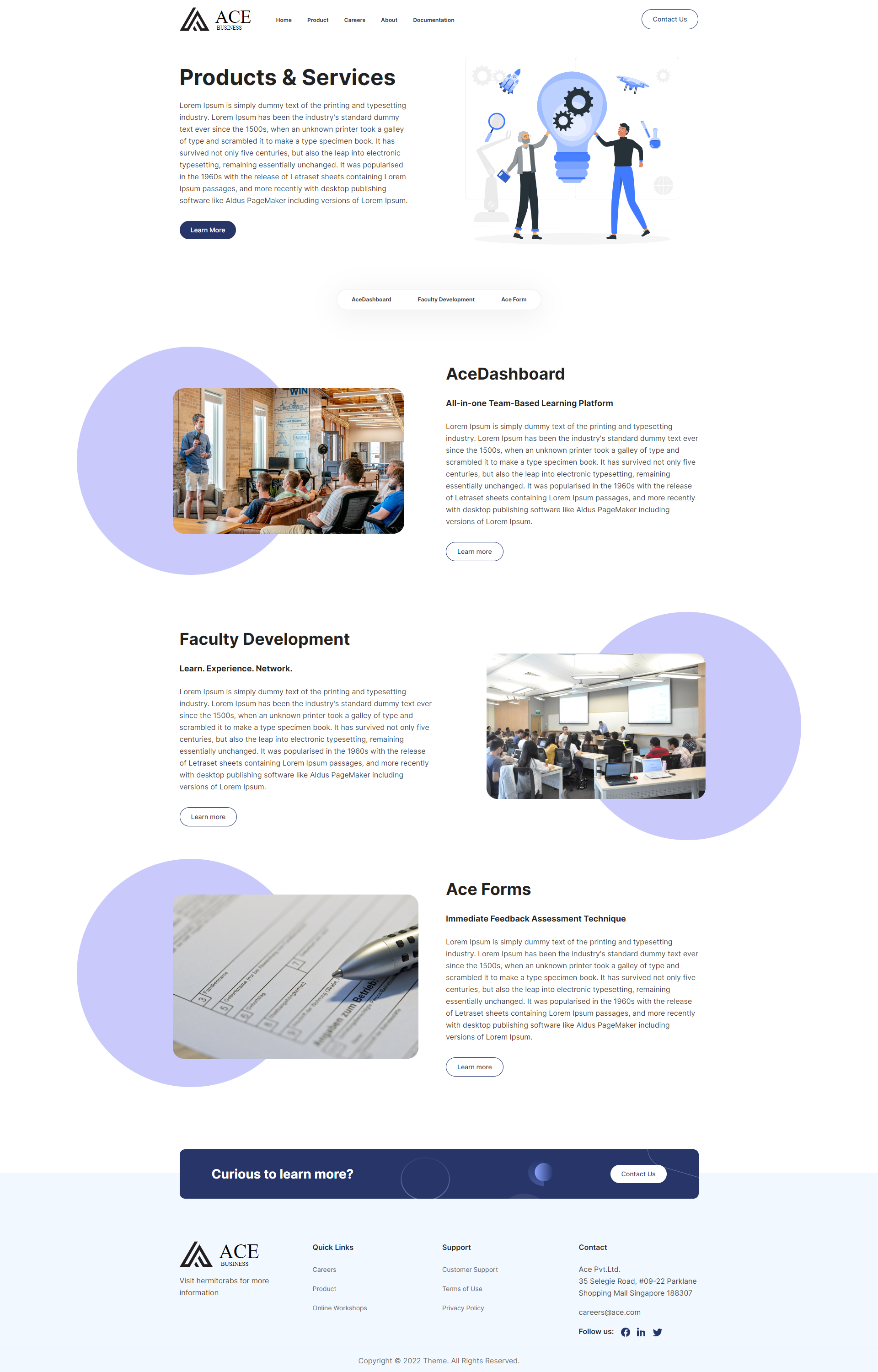
Product
This is a sample of the product page layout of your website.

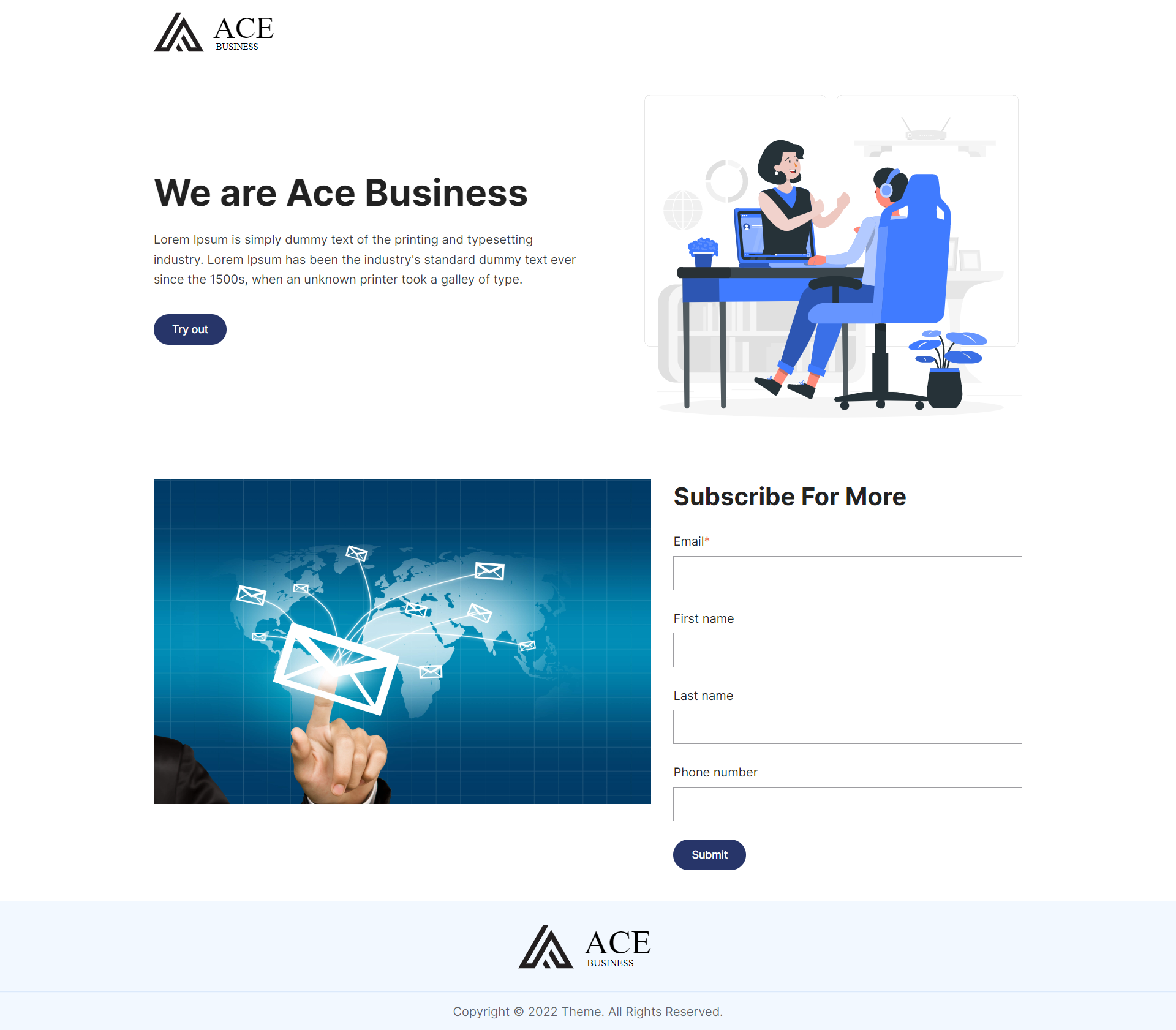
Landing Page
This is a sample of landing page layout of your website.

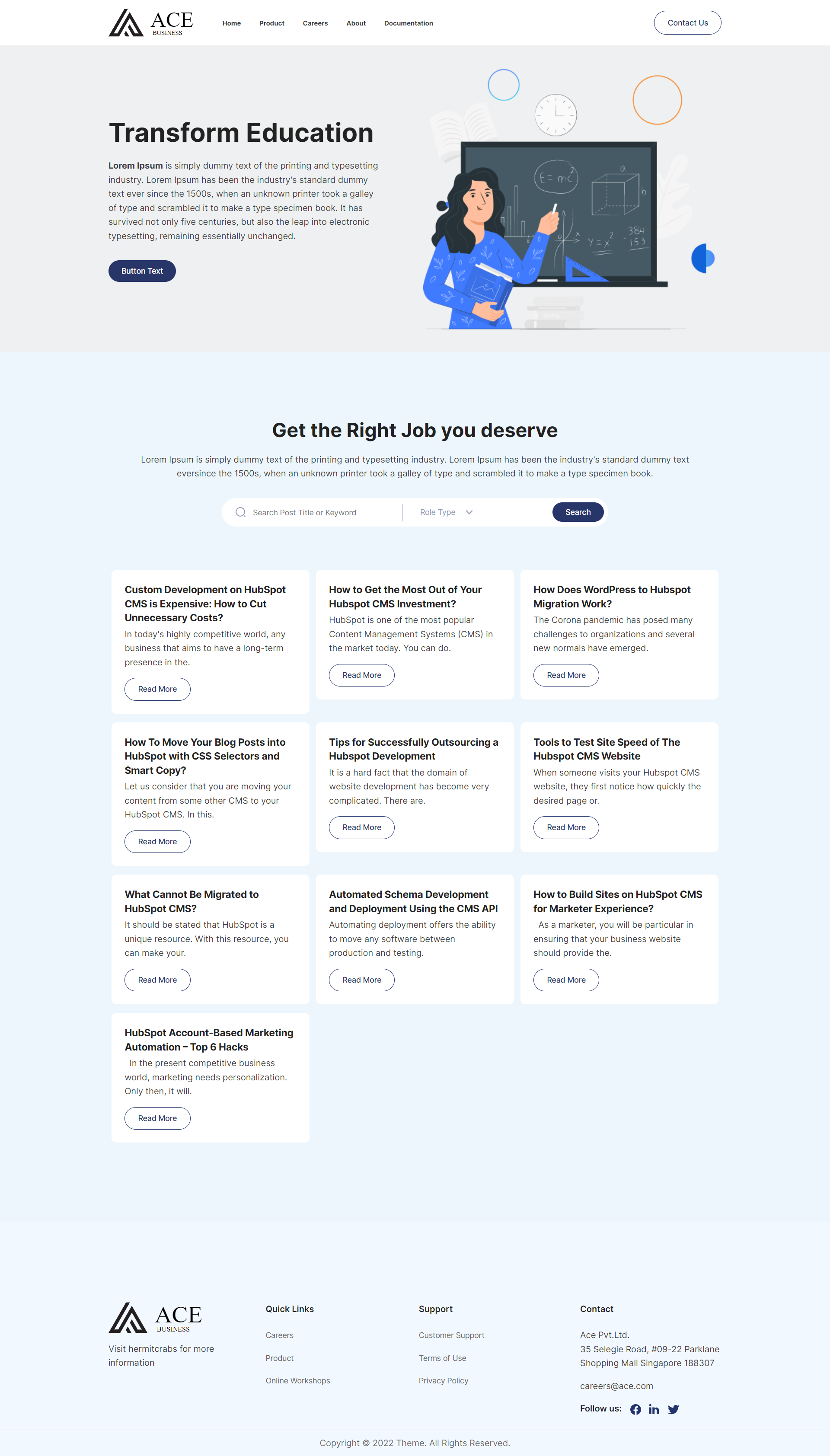
BLOG INDEX
This is a sample of blog index page layout of your website.

BLOG POST
This is a sample of blog post page layout of your website.