WEBSITE DOCUMENTATION
Introduction
Detailed documentation, responsive design, customizable modules... give yourself the tools you need to become a leader in your market and exceed your growth ambitions.
It's simple and easy! You can start by go through our documentation to understand how to customize and develop your project to include our features:
Global Header
This the main header for your main website pages. You can edit logo, menu and buttons and their respective links.

Header With Mega Menu
This the main Header With Mega Menu for your main website pages. You can edit logo, menu and buttons and their respective links.
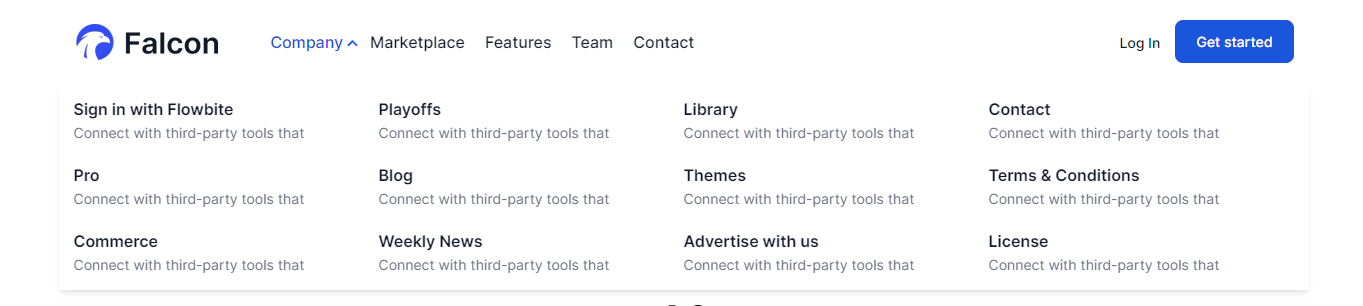
Advanced Header
This the main Advanced Header for your main website pages. You can edit logo, menu and buttons and their respective links.
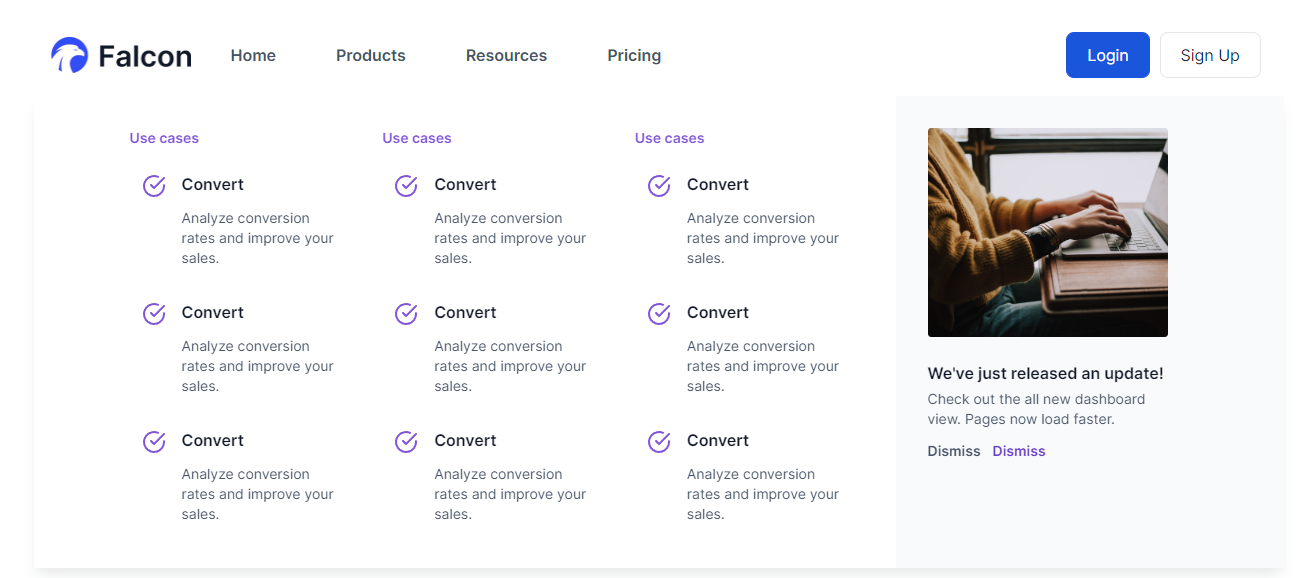
Header No Navigation
A simple header for all landing pages.

Global Footer
This the main footer for the website pages. You can edit logo, menu and social icons and their respective links, and all the text.
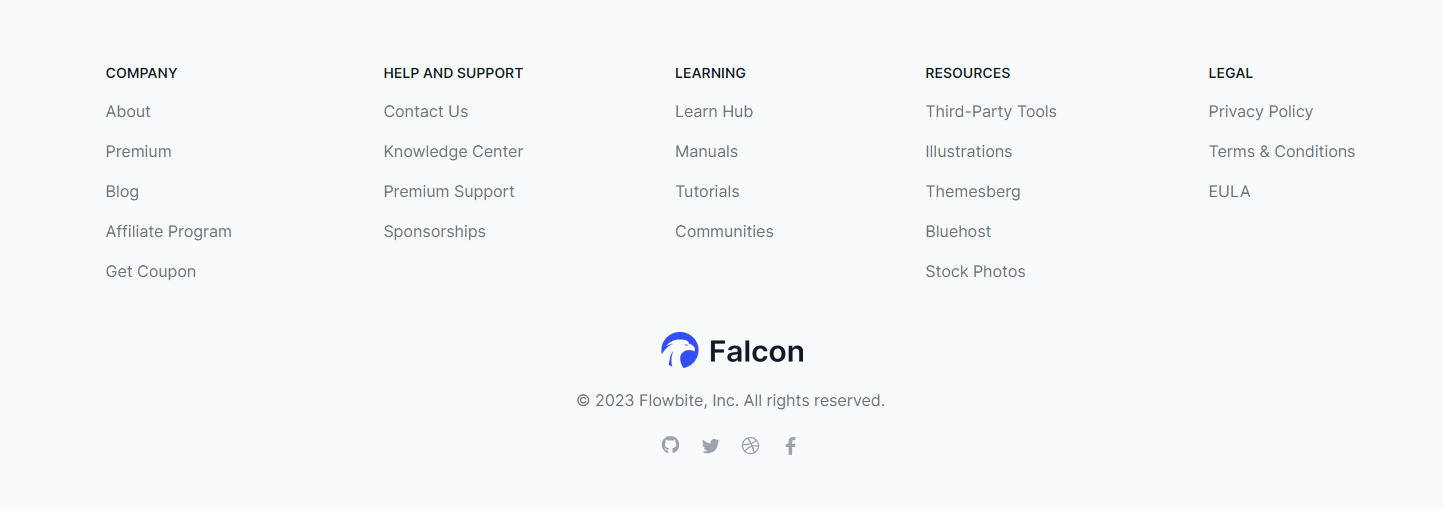
One Col Footer
This the main One Col Footer for the website pages. You can edit logo, menu and social icons and their respective links, and all the text.
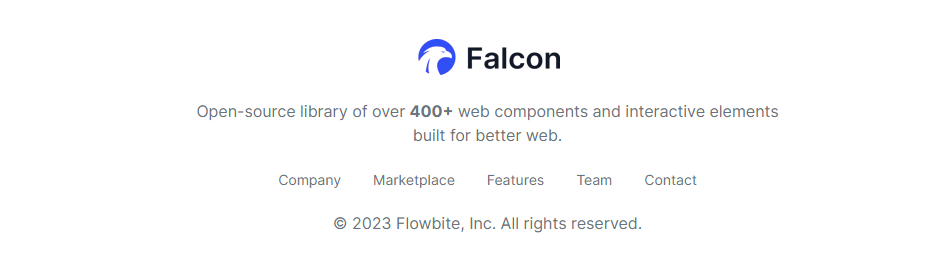
Footer with Left Logo
This the main Footer with Left Logo for the website pages. You can edit logo, menu and social icons and their respective links, and all the text.
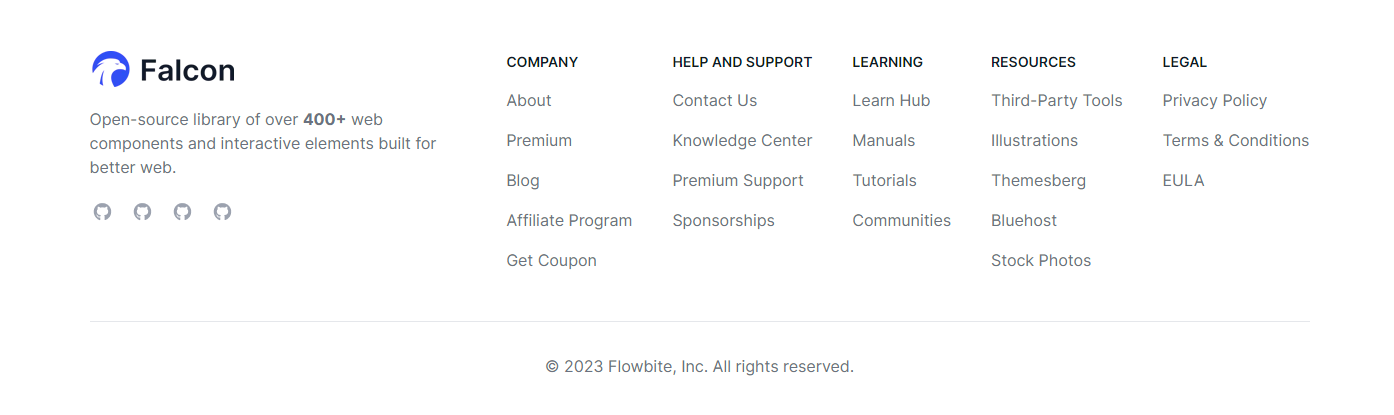
Footer No Navigation
A simple footer for all landing pages.

Button
This Module is used to add button on your page.
Field Used in Modules
Name
Description
Content Fields
- Button Text
- Insert text of button
- Button Link
- Add Page on button
Style Fields
- Text
- Choose Text styling of button
- Background
- Choose Background color of button
- Border
- Choose Border style of button
- Corner
- Choose border radius
- Spacing
- Choose Spacing around button
- Alignment
- Choose Alignment of button
Breadcrumbs
This Module is used to add breadcrumbs on your page.

Field Used in Modules
Name
Description
Content Fields
- Menu
- Insert Menu
Style Fields
- Background
- Choose Background color
- Text
- Choose Text color
- Link
- Choose link color
Blog Banner
This Module is used to add blog banner on your page.

Field Used in Modules
Name
Description
Content Fields
- Id
- For uniquely identifying the module
- Class
- Add class for the module
- Title
- For giving module title
- Description
- Insert an intro text
Style Fields
- Section Background
- Select background option in the module like image, color, gradient.
- Section Spacing
- For giving padding and margin on the module for (Desktop and Mobile).
- Typography
- To Give Title color , description color and content alignment
Blog Listings
This Module is used to add blog listings on your page.
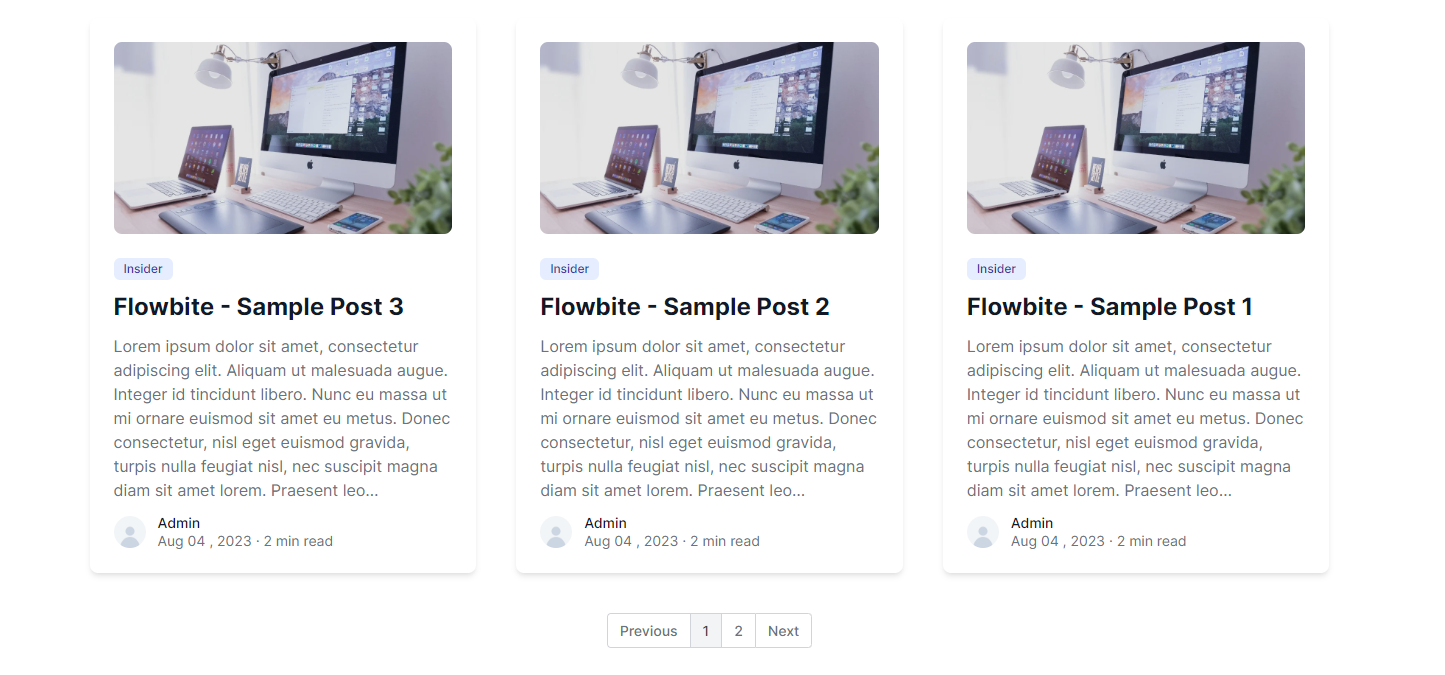
Field Used in Modules
Name
Description
Content Fields
- Featured Image
- Check the boolean button to add the Featured image in listing items
- Title
- Check the boolean button to add the title in listing items
- Description
- Check the boolean button to add the description in listing items
- Publish Date
- Check the boolean button to add the Date in listing items
Style Fields
- Background Color
- For Give background color in the items
- Box Shadow
- Check the boolean button to add box shadow in the items
- Title Color
- For Give title color
- Content Color
- For Give content color
Counter
This Module is used to add counter on your page. You can edit Title, description and number prefix,suffix and all the text.
Home to the software teams
Meet your developers where they already are. GitHub is home to over 40 million developers and the world’s largest open source community.
$0K+
Field Used in Modules
Name
Description
Content Fields
- Id
- For uniquely identifying the module
- Class
- Add class for the module
- Title
- For giving module title
- Description
- Insert an intro text
- Counter title,number and prefix,suffix
- For giving title,number and prefix,suffix
Style Fields
- Desktop Spacing
- For giving padding and margin on the module
- Mobile Spacing
- For giving padding and margin on the module in Mobile
- Background color and image
- For giving background color and image to the module
- Content color
- For giving content color
- Alignment
- Choose Where you want to display the content: left, center or right.
- Container
- Select the container width like fullwidth, container and custom.
Counter With Top Icon
This Module is used to add counter on your page. You can edit Title, description and number prefix,suffix and all the text.
Home to the software teams
Meet your developers where they already are. GitHub is home to over 40 million developers and the world’s largest open source community.
Title
Field Used in Modules
Name
Description
Content Fields
- Id
- For uniquely identifying the module
- Class
- Add class for the module
- Title
- For giving module title
- Description
- Insert an intro text
- Counter title,number and prefix,suffix
- For giving title,number and prefix,suffix
Style Fields
- Desktop Spacing
- For giving padding and margin on the module
- Mobile Spacing
- For giving padding and margin on the module in Mobile
- Background color and image
- For giving background color and image to the module
- Typography
- For giving heading color, description color and counter box background color.
- Container
- Select the container width like fullwidth, container and custom.
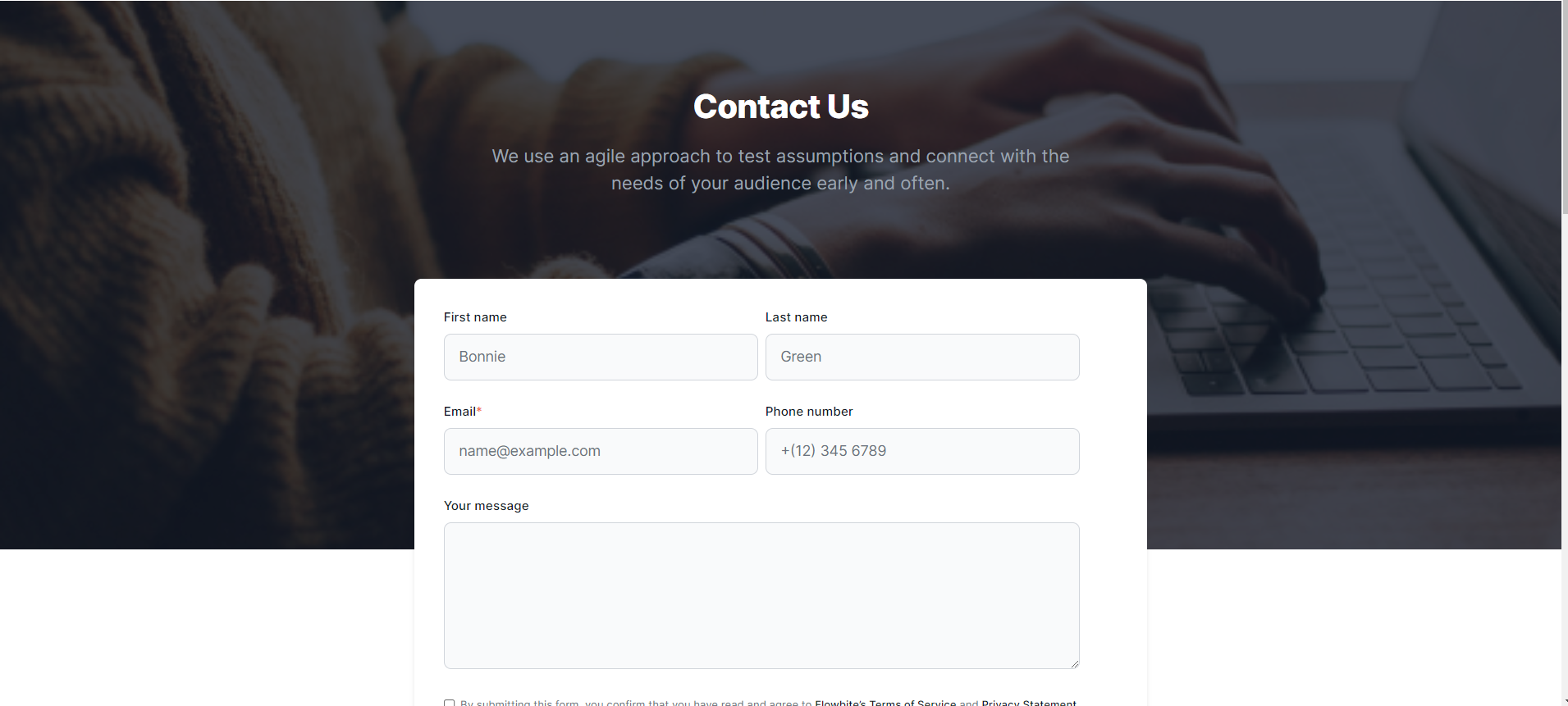
Contact Banner
This Module is used to add contact banner on your page. You can edit Title, description and form.
Field Used in Modules
Name
Description
Content Fields
- Id
- For uniquely identifying the module
- Class
- Add class for the module
- Title
- For giving module title
- Description
- Insert an intro text
- Form
- Choose which form you want to display
Style Fields
- Desktop Spacing
- For giving padding and margin on the module
- Mobile Spacing
- For giving padding and margin on the module in Mobile
- Background color and image
- For giving background color and image to the module
- Typography
- For giving heading color, description color and counter box background color.
- Container
- Select the container width like fullwidth, container and custom.
- Form Background Color
- For giving form background color
Contact Details
This Module is used to insert contact details and description and card details.
Designed for business teams
Deliver great service experiences fast - without the complexity of traditional ITSM solutions.Accelerate critical development work, eliminate toil, and deploy changes with ease.

Private repos
Host code that you don't want to share with the world in private GitHub repos only accessible to you and people you share them with.
Field Used in Modules
Name
Description
Content Fields
- Id
- For uniquely identifying the module
- Class
- Add class for the module
- Title
- For giving module title
- Description
- Insert an intro text
- card
- Choose your card items content
Style Fields
- Desktop Spacing
- For giving padding and margin on the module
- Mobile Spacing
- For giving padding and margin on the module in Mobile
- Background color and image
- For giving background color and image to the module
- Typography
- For giving heading color, description color and content alignment.
- Container
- Select the container width like fullwidth, container and custom.
Customer Logos
This module is used to show customer logos with slider
You’ll be in good company

Field Used in Modules
Name
Description
Content Fields
- Id
- For uniquely identifying the module
- Class
- Add class for the module
- Title
- For giving module title
- Description
- Insert an intro text
- Logo Image
- For giving logo image
- Logo Link
- For giving a link to the logo
Style Fields
- Desktop Spacing
- For giving padding and margin on the module
- Mobile Spacing
- For giving padding and margin on the module in Mobile
- Background color and image
- For giving background color and image to the module
- Container
- Select the container width like fullwidth, container and custom.
- Typography
- For giving heading color, description color and content alignment.
Customer Logo With Button
This module is used to show customer logos
Grow with Flowbite

customers since 2016
customers since 2016
customers since 2016
customers since 2016
Field Used in Modules
Name
Description
Content Fields
- Id
- For uniquely identifying the module
- Class
- Add class for the module
- Title
- For giving module title
- Description
- Insert an intro text
- Logo Image
- For giving logo image
- Logo Description
- Insert an logo intro text
- Button Text
- Insert text of button
- Button Link
- Add Page on button
Style Fields
- Desktop Spacing
- For giving padding and margin on the module
- Mobile Spacing
- For giving padding and margin on the module in Mobile
- Background color and image
- For giving background color and image to the module
- Typography
- For giving heading color, description color and content alignment.
- Container
- Select the container width like fullwidth, container and custom.
Client Reviews
This module is used to show client reviews
What is Lorem Ipsum?
Lorem Ipsum?
Lorem Ipsum
Lorem ipsum dolor sit amet, consectetur adipiscing elit. Praesent scelerisque, metus id hendrerit hendrerit, nisl odio laoreet quam, a fermentum dui lectus mollis nisi. Mauris fermentum eros sit amet odio hendrerit condimentum. Ornare dolor ac consectetur
What is Lorem Ipsum?
Lorem Ipsum?
Lorem Ipsum
Lorem ipsum dolor sit amet, consectetur adipiscing elit. Praesent scelerisque, metus id hendrerit hendrerit, nisl odio laoreet quam, a fermentum dui lectus mollis nisi. Mauris fermentum eros sit amet odio hendrerit condimentum. Ornare dolor ac consectetur
Field Used in Modules
Name
Description
Content Fields
- Id
- For uniquely identifying the module
- Class
- Add class for the module
- Title
- For giving module title
- Sub Title
- For giving module sub title
- Description
- Insert an intro text
- Rating
- Add ratings in the items
- Button
- Add buttons like standard, cta and popup
Style Fields
- Desktop Spacing
- For giving padding and margin on the module
- Mobile Spacing
- For giving padding and margin on the module in Mobile
- Background color and image
- For giving background color and image to the module
- Container
- Select the container width like fullwidth, container and custom.
- Typography
- For giving heading color, description color, rating color, sub heading color and content alignment.
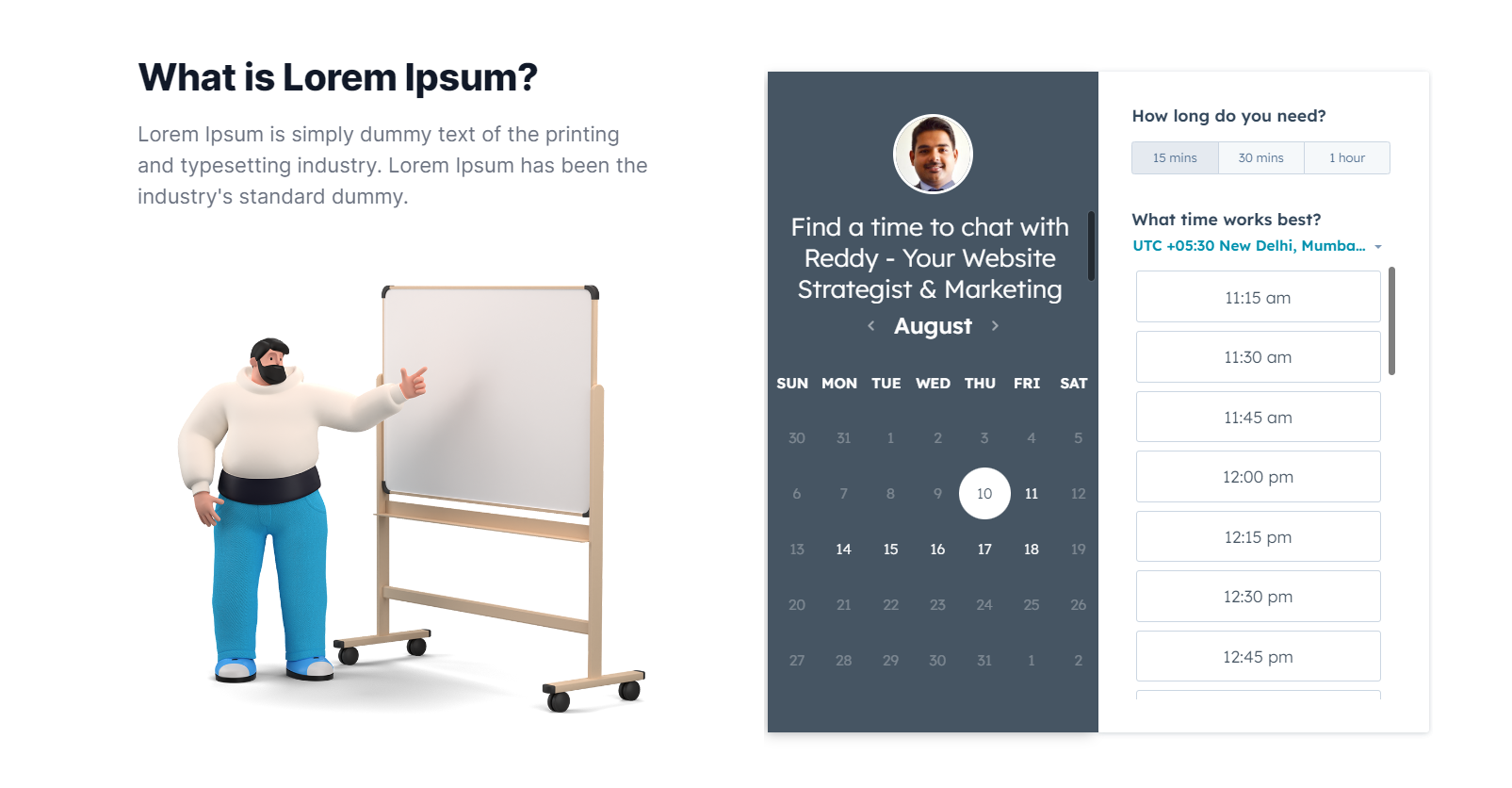
Content With Meeting
This module is used to show content with meeting
Field Used in Modules
Name
Description
Content Fields
- Id
- For uniquely identifying the module
- Class
- Add class for the module
- Title
- For giving module title
- Description
- Insert an intro text
- Image
- Choose image what you want to show
- Meeting
- For select a meeting time
Style Fields
- Desktop Spacing
- For giving padding and margin on the module
- Mobile Spacing
- For giving padding and margin on the module in Mobile
- Background color and image
- For giving background color and image to the module
- Container
- Select the container width like fullwidth, container and custom.
- Typography
- For giving heading color and description color
Content With Form
This module is used to show content with form
Sample Title
Here at flowbite we focus on markets where technology, innovation, and capital can unlock long-term value and drive economic growth.
Field Used in Modules
Name
Description
Content Fields
- Id
- For uniquely identifying the module
- Class
- Add class for the module
- Title
- For giving module title
- Description
- Insert an intro text
- Button
- Add buttons like standard, cta and popup
- Form
- Select a form you want to show
Style Fields
- Desktop Spacing
- For giving padding and margin on the module
- Mobile Spacing
- For giving padding and margin on the module in Mobile
- Background color and image
- For giving background color and image to the module
- Container
- Select the container width like fullwidth, container and custom.
- Typography
- For giving heading color, description color and content alignment.
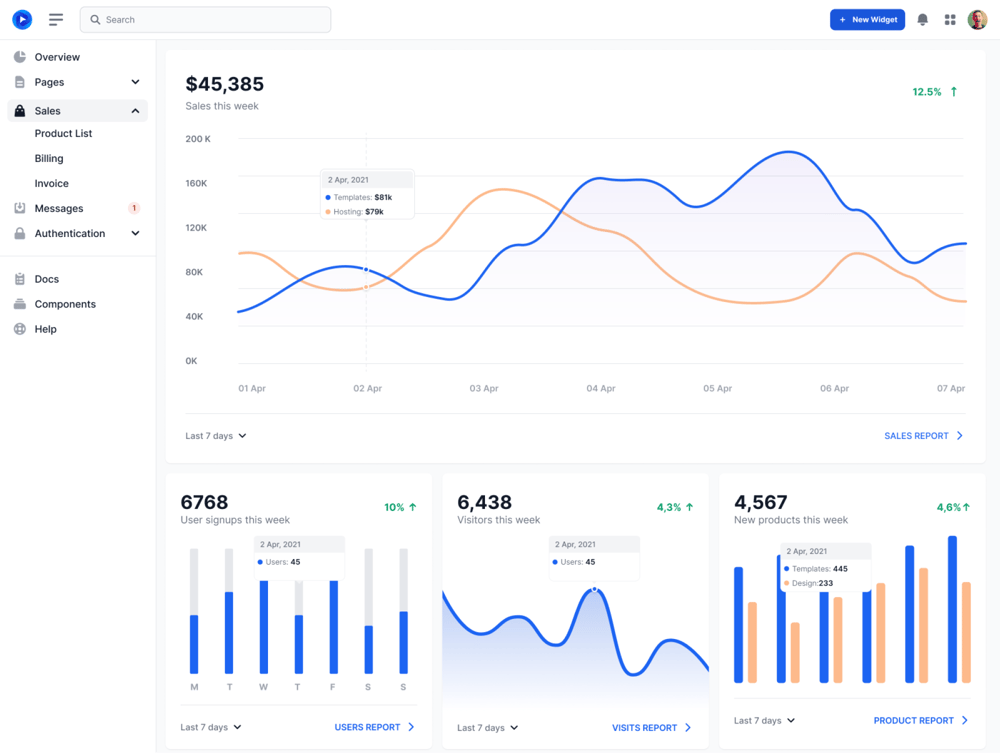
CTA With Image
This Module is used to show CTA With Image in the page
Call to Action
Lorem Ipsum is simply dummy text of the printing and typesetting industry. Lorem Ipsum has been the industry's standard dummy.
Field Used in Modules
Name
Description
Content Fields
- Id
- For uniquely identifying the module
- Class
- Add class for the module
- Title
- For giving module title
- Description
- Insert an intro text
- Button
- Add buttons like standard, cta and popup
- Image
- Insert an Right Image
Style Fields
- Desktop Spacing
- For giving padding and margin on the module
- Mobile Spacing
- For giving padding and margin on the module in Mobile
- Background color and image
- For giving background color and image to the module
- Container
- Select the container width like fullwidth, container and custom.
- Typography
- For giving heading color, description color, Inner Background Color and content alignment.
CTA With Right Button
This Module is used to show CTA With Right Button in the page
Call to Action
Lorem Ipsum is simply dummy text of the printing and typesetting industry. Lorem Ipsum has been the industry's standard dummy.
Field Used in Modules
Name
Description
Content Fields
- Id
- For uniquely identifying the module
- Class
- Add class for the module
- Title
- For giving module title
- Description
- Insert an intro text
- Button
- Add button like standard, cta and popup
- Image
- Insert an Left Image
Style Fields
- Desktop Spacing
- For giving padding and margin on the module
- Mobile Spacing
- For giving padding and margin on the module in Mobile
- Background color and image
- For giving background color and image to the module
- Container
- Select the container width like fullwidth, container and custom.
- Typography
- For giving heading color, description color, Inner Background Color and content alignment.
FAQ
This Module is used to show accordion in the page
Frequently asked questions
Here at flowbite we focus on markets where technology, innovation, and capital can unlock long-term value and drive economic growth.
Can I use FlowBite in open-source projects?
Generally, it is accepted to use FlowBite in open-source projects, as long as it is not a UI library, a theme, a template, a page-builder that would be considered as an alternative to FlowBite itself.
With that being said, feel free to use this design kit for your open-source projects.
Find out more information by reading the license.
Can I use FlowBite in open-source projects?
Generally, it is accepted to use FlowBite in open-source projects, as long as it is not a UI library, a theme, a template, a page-builder that would be considered as an alternative to FlowBite itself.
With that being said, feel free to use this design kit for your open-source projects.
Find out more information by reading the license.
Field Used in Modules
Name
Description
Content Fields
- Id
- For uniquely identifying the module
- Class
- Add class for the module
- Title
- For giving module title
- Description
- Insert an intro text
- Button
- Add buttons like standard and cta
- Accordion Title
- Insert an accordion title
- Accordion Content
- Insert an accordion content
Style Fields
- Desktop Spacing
- For giving padding and margin on the module
- Mobile Spacing
- For giving padding and margin on the module in Mobile
- Background color and image
- For giving background color and image to the module
- Container
- Select the container width like fullwidth, container and custom.
- Typography
- For giving heading color, description color and content alignment.
FAQ Two Column
This Module is used to show two column content with accordion in the page

Frequently asked questions
Here at flowbite we focus on markets where technology, innovation, and capital can unlock long-term value and drive economic growth.
Can I use FlowBite in open-source projects?
Generally, it is accepted to use FlowBite in open-source projects, as long as it is not a UI library, a theme, a template, a page-builder that would be considered as an alternative to FlowBite itself.
With that being said, feel free to use this design kit for your open-source projects.
Find out more information by reading the license.
Can I use FlowBite in open-source projects?
Generally, it is accepted to use FlowBite in open-source projects, as long as it is not a UI library, a theme, a template, a page-builder that would be considered as an alternative to FlowBite itself.
With that being said, feel free to use this design kit for your open-source projects.
Find out more information by reading the license.
Field Used in Modules
Name
Description
Content Fields
- Id
- For uniquely identifying the module
- Class
- Add class for the module
- Title
- For giving module title
- Description
- Insert an intro text
- Image
- Choose image what you want to show
- Accordion Title
- Insert an accordion title
- Accordion Content
- Insert an accordion content
- Button
- Select button like standard and cta
Style Fields
- Desktop Spacing
- For giving padding and margin on the module
- Mobile Spacing
- For giving padding and margin on the module in Mobile
- Background color and image
- For giving background color and image to the module
- Container
- Select the container width like fullwidth, container and custom.
- Typography
- For giving heading color, description color and content alignment.
Features
This Module is used to show Features in the page
Title

Project Management

Unified Contribution Graph
Project Management
Unified Contribution Graph
Project Management
Unified Contribution Graph
Field Used in Modules
Name
Description
Content Fields
- Id
- For uniquely identifying the module
- Class
- Add class for the module
- Title
- For giving module title
- Description
- Insert an intro text
- cards
- Add cards items
Style Fields
- Desktop Spacing
- For giving padding and margin on the module
- Mobile Spacing
- For giving padding and margin on the module in Mobile
- Background color and image
- For giving background color and image to the module
- Container
- Select the container width like fullwidth, container and custom.
- Typography
- For giving heading color, description color, Card background Color and content alignment.
Features With Two Column
This Module is used to show Features two column content with card in the page
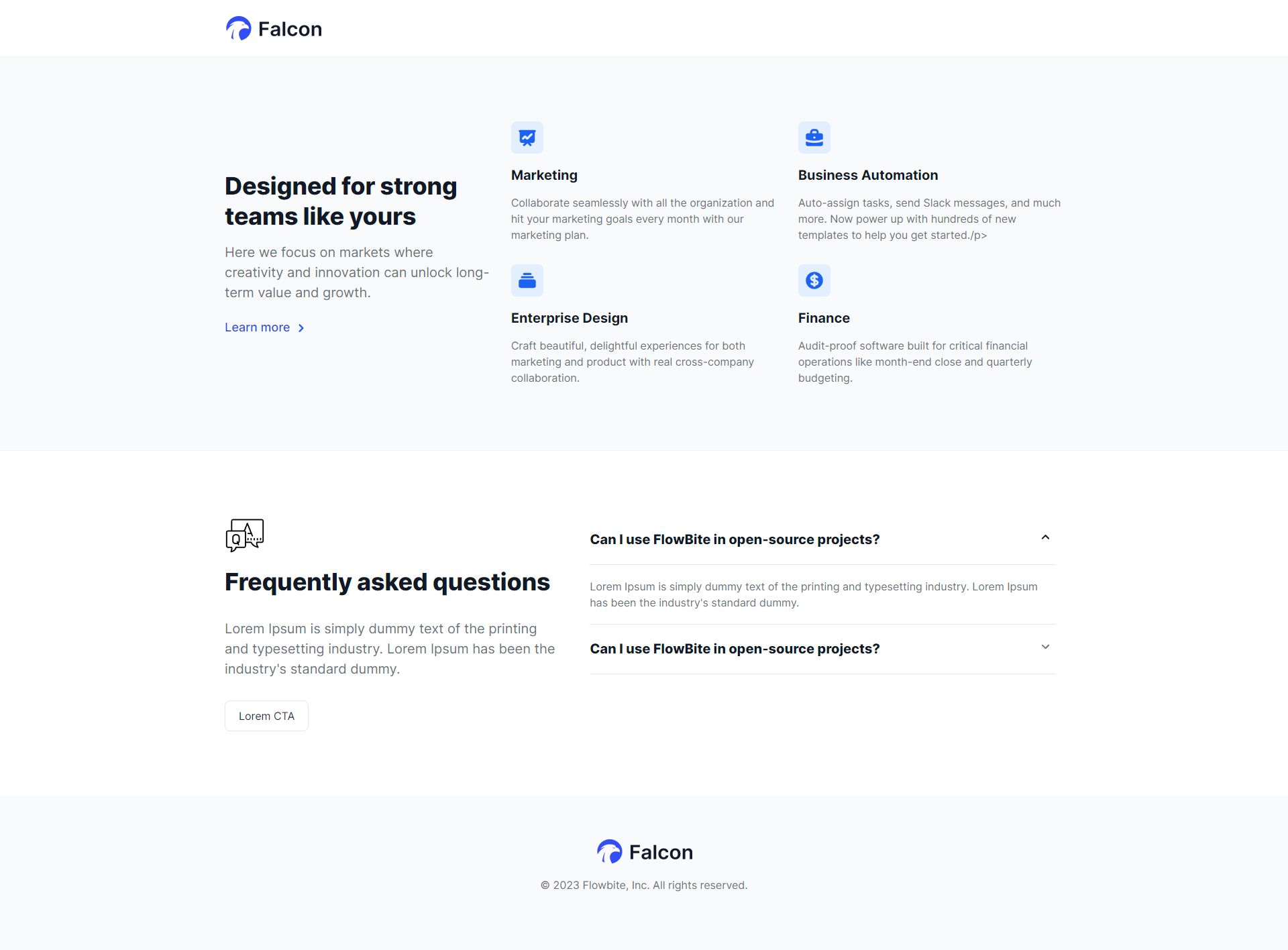
Designed for strong teams like yours
Here we focus on markets where creativity and innovation can unlock long-term value and growth.

Marketing
Collaborate seamlessly with all the organization and hit your marketing goals every month with our marketing plan.
Marketing
Collaborate seamlessly with all the organization and hit your marketing goals every month with our marketing plan.
Marketing
Collaborate seamlessly with all the organization and hit your marketing goals every month with our marketing plan.
Marketing
Collaborate seamlessly with all the organization and hit your marketing goals every month with our marketing plan.
Field Used in Modules
Name
Description
Content Fields
- Id
- For uniquely identifying the module
- Class
- Add class for the module
- Title
- For giving module title
- Description
- Insert an intro text
- Button
- Select button like standard and cta
- Cards
- Adding card items like icons, title, description
Style Fields
- Desktop Spacing
- For giving padding and margin on the module
- Mobile Spacing
- For giving padding and margin on the module in Mobile
- Background color and image
- For giving background color and image to the module
- Container
- Select the container width like fullwidth, container and custom.
- Typography
- For giving heading color, description color and content alignment.
Hero Banner
It's hero banner module
We invest in the world’s potential
Here at flowbite we focus on markets where technology, innovation, and capital can unlock long-term value and drive economic growth.
Field Used in Modules
Name
Description
Content Fields
- Id
- For uniquely identifying the module
- Class
- Add class for the module
- Title
- For giving module title
- Description
- Insert an intro text
- Button
- Select button like standard, cta and popup
- Image
- Choose image what you want to show
Style Fields
- Desktop Spacing
- For giving padding and margin on the module
- Mobile Spacing
- For giving padding and margin on the module in Mobile
- Background color and image
- For giving background color and image to the module
- Container
- Select the container width like fullwidth, container and custom.
- Typography
- For giving heading color, description color and content alignment.
Hero Banner With Two Column
It's hero banner module

Field Used in Modules
Name
Description
Content Fields
- Id
- For uniquely identifying the module
- Class
- Add class for the module
- Title
- For giving module title
- Description
- Insert an intro text
- Form
- Choose which form you want to display
- Video Type
- Choose what type of video you want to display
Style Fields
- Desktop Spacing
- For giving padding and margin on the module
- Mobile Spacing
- For giving padding and margin on the module in Mobile
- Background color and image
- For giving background color and image to the module
- Container
- Select the container width like fullwidth, container and custom.
- Typography
- For giving heading color, description color and content alignment, mobile alignment.
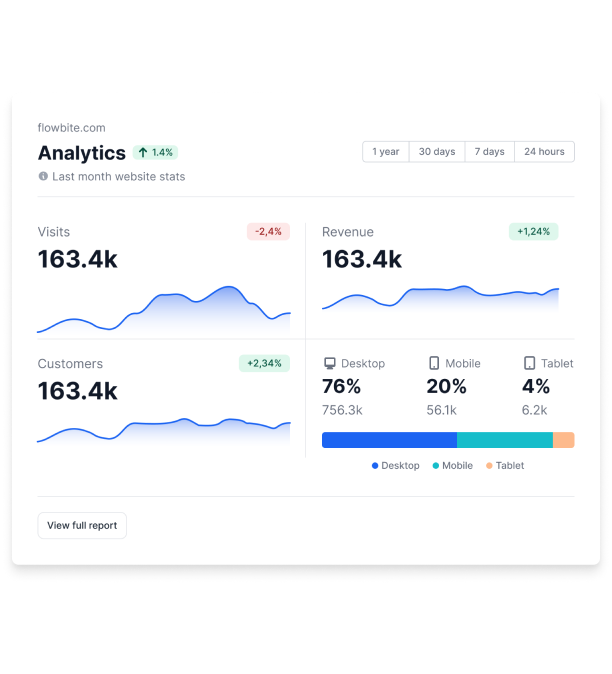
Image With Content
You can add image and content.
Designed for business teams
Deliver great service experiences fast - without the complexity of traditional ITSM solutions.Accelerate critical development work, eliminate toil, and deploy changes with ease.
Private repos
Host code that you don't want to share with the world in private GitHub repos only accessible to you and people you share them with.
Field Used in Modules
Name
Description
Content Fields
- Id
- For uniquely identifying the module
- Class
- Add class for the module
- Title
- For giving module title
- Description
- Insert an intro text
- Card
- Choose your card items content
Style Fields
- Desktop Spacing
- For giving padding and margin on the module
- Mobile Spacing
- For giving padding and margin on the module in Mobile
- Background color and image
- For giving background color and image to the module
- Container
- Select the container width like fullwidth, container and custom.
- Typography
- For giving heading color, description color and content alignment.
Map
You can add map.
Field Used in Modules
Name
Description
Content Fields
- Location
- For giving change location
Newsletter
This Module is used to show newsletter in the page
Sign up for our newsletter
Stay up to date with the roadmap progress, announcements and exclusive discounts feel free to sign up with your email.
We care about the protection of your data. Read our Privacy Policy.
Field Used in Modules
Name
Description
Content Fields
- Id
- For uniquely identifying the module
- Class
- Add class for the module
- Title
- For giving module title
- Description
- Insert an intro text
- Form
- Choose which form you want to display
Style Fields
- Desktop Spacing
- For giving padding and margin on the module
- Mobile Spacing
- For giving padding and margin on the module in Mobile
- Background color and image
- For giving background color and image to the module
- Container
- Select the container width like fullwidth, container and custom.
- Typography
- For giving heading color, description color and content alignment.
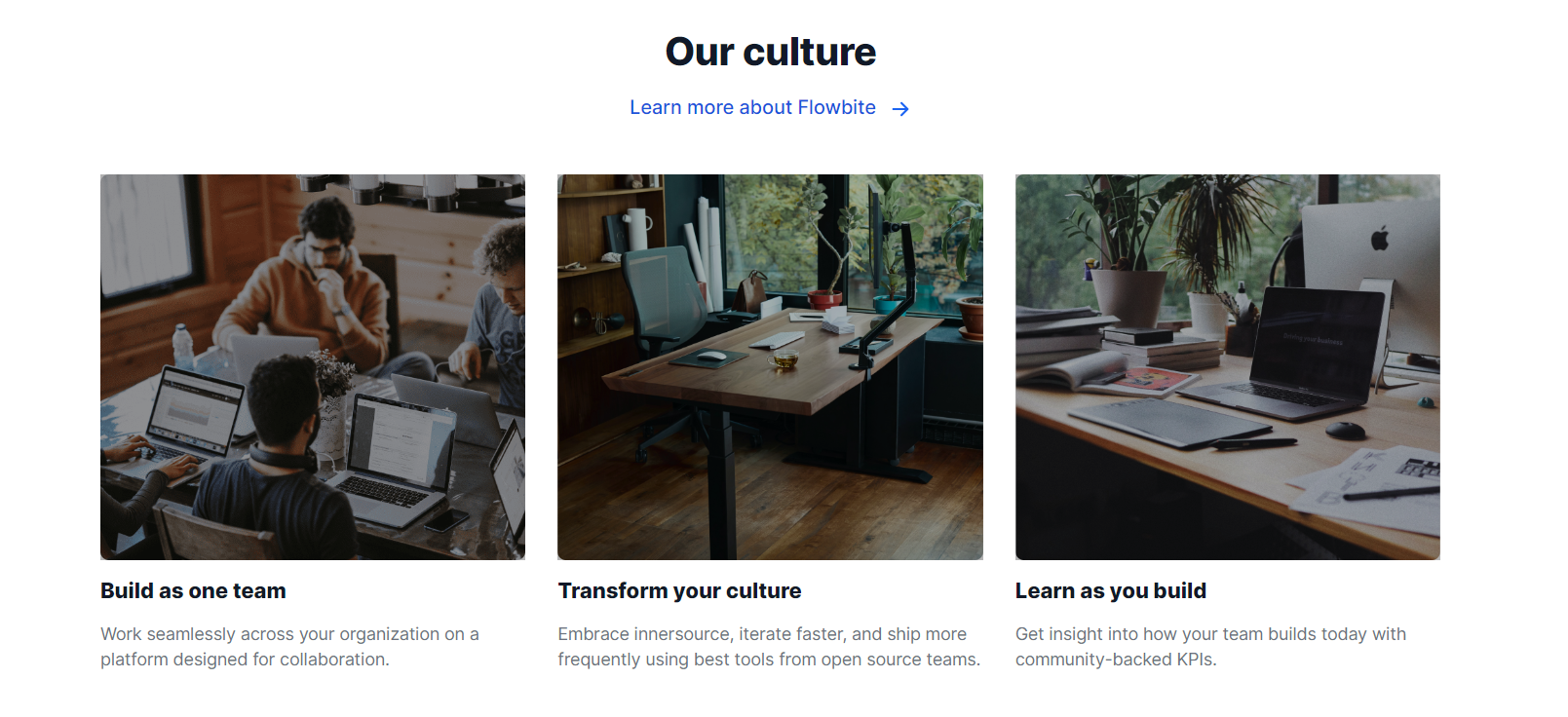
Our Culture
This Module is used to show our culture in the page
Field Used in Modules
Name
Description
Content Fields
- Id
- For uniquely identifying the module
- Class
- Add class for the module
- Title
- For giving module title
- Description
- Insert an intro text
- Button
- Select button like standard, cta and popup
- Cards
- Add cards items. Image, Title, Content
Style Fields
- Desktop Spacing
- For giving padding and margin on the module
- Mobile Spacing
- For giving padding and margin on the module in Mobile
- Background color and image
- For giving background color and image to the module
- Container
- Select the container width like fullwidth, container and custom.
- Typography
- For giving heading color, description color and cards title color, description color.
Our Team
Display your organization team members.
Meet our team
You’ll interact with talented professionals, will be challenged to
solve difficult problems and think in new and creative ways.
Robert Brown
Robert Brown
Robert Brown
Robert Brown
Field Used in Modules
Name
Description
Content Fields
- Id
- For uniquely identifying the module
- Class
- Add class for the module
- Title
- For giving module title
- Description
- Insert an intro text
- cards
- Add items. image, name, designation, description
Style Fields
- Desktop Spacing
- For giving padding and margin on the module
- Mobile Spacing
- For giving padding and margin on the module in Mobile
- Background color and image
- For giving background color and image to the module
- Container
- Select the container width like fullwidth, container and custom.
- Typography
- For giving heading color, description color and items name color, designation color
Pricing With Table
This module is used to show Pricing.
What is Lorem Ipsum?
Lorem Ipsum is simply dummy text of the printing and typesetting industry. Lorem Ipsum has been the industry's standard dummy.
Lorem Ipsum
Lorem Ipsum is simply dummy text of typesetting industry.
$15 /month
$160 /year
- Lorem Ipsum list
Lorem Ipsum
Lorem Ipsum is simply dummy text of typesetting industry.
$15 /month
$160 /year
- Lorem Ipsum list
Lorem Ipsum
Lorem Ipsum is simply dummy text of typesetting industry.
$15 /month
$160 /year
- Lorem Ipsum list
| Tailwind CSS code | Starter | Company | Enterprise |
|---|---|---|---|
| Basic components (view all) | |||
| Basic components (view all) | |||
| Basic components (view all) | |||
| Basic components (view all) |
Field Used in Modules
Name
Description
Content Fields
- Id
- For uniquely identifying the module
- Class
- Add class for the module
- Title
- For giving module title
- Description
- Insert an intro text
- Card Title
- For giving card title
- Card Description
- Insert an card description
- Button Text
- Insert text of button
- Button Link
- Add Page on button
- Table
- Add table in the bottom
Style Fields
- Desktop Spacing
- For giving padding and margin on the module
- Mobile Spacing
- For giving padding and margin on the module in Mobile
- Background color and image
- For giving background color and image to the module
- Container
- Select the container width like fullwidth, container and custom.
- Text Style
- Choose text style, text color and alignment
- Card group
- Add cards and table styling
Pricing
This module is used to show Pricing.
What is Lorem Ipsum?
Lorem Ipsum is simply dummy text of the printing and typesetting industry. Lorem Ipsum has been the industry's standard dummy.
Lorem Ipsum
$15
$160
$15 USD per month, paid annually
Go to annual plan- Lorem Ipsum list
Lorem Ipsum
$15
$160
$15 USD per month, paid annually
Go to annual plan- Lorem Ipsum list
Lorem Ipsum
$15
$160
$15 USD per month, paid annually
Go to annual plan- Lorem Ipsum list
Field Used in Modules
Name
Description
Content Fields
- Id
- For uniquely identifying the module
- Class
- Add class for the module
- Title
- For giving module title
- Description
- Insert an intro text
- Button Text
- Insert text of button
- Button Link
- Add Page on button
- Card Title
- For giving card title
- Card Description
- Insert an card description
Style Fields
- Desktop Spacing
- For giving padding and margin on the module
- Mobile Spacing
- For giving padding and margin on the module in Mobile
- Background color and image
- For giving background color and image to the module
- Container
- Select the container width like fullwidth, container and custom.
- Typography
- For giving heading color, description color and content alignment
- card group
- Adding cards styling
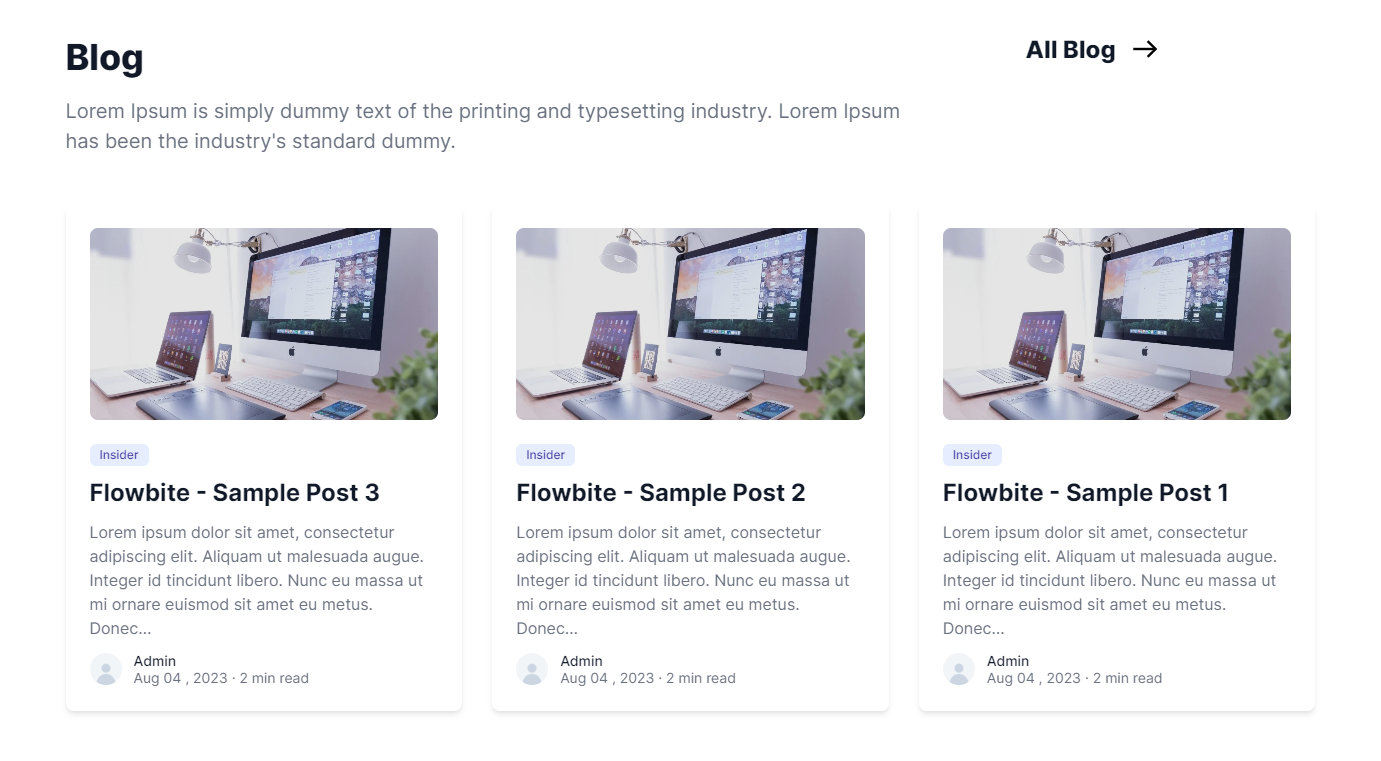
Recent Post
This module is used to show recent post.
Field Used in Modules
Name
Description
Content Fields
- Id
- For uniquely identifying the module
- Class
- Add class for the module
- Title
- For giving module title
- Description
- Insert an intro text
- Select Blog
- For select a blog
Style Fields
- Desktop Spacing
- For giving padding and margin on the module
- Mobile Spacing
- For giving padding and margin on the module in Mobile
- Background color and image
- For giving background color and image to the module
- Container
- Select the container width like fullwidth, container and custom.
- Typography
- For giving heading color, description color and cards styling
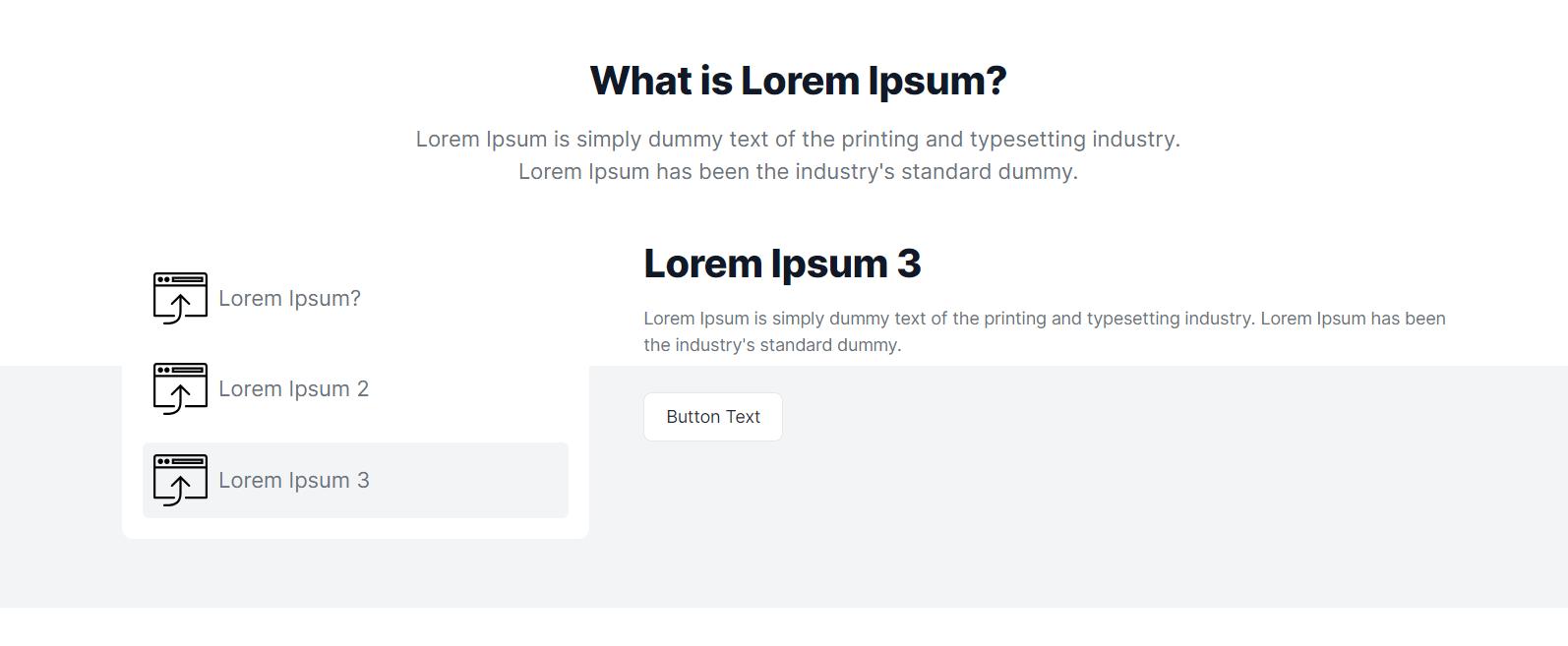
Tabber
This module is used to show Tabber.
Field Used in Modules
Name
Description
Content Fields
- Id
- For uniquely identifying the module
- Class
- Add class for the module
- Title
- For giving module title
- Description
- Insert an intro text
- Button
- Select button like standard, cta and popup
Style Fields
- Desktop Spacing
- For giving padding and margin on the module
- Mobile Spacing
- For giving padding and margin on the module in Mobile
- Background color and image
- For giving background color and image to the module
- Container
- Select the container width like fullwidth, container and custom.
- Typography
- For giving heading color, description color and cards title color, description color.
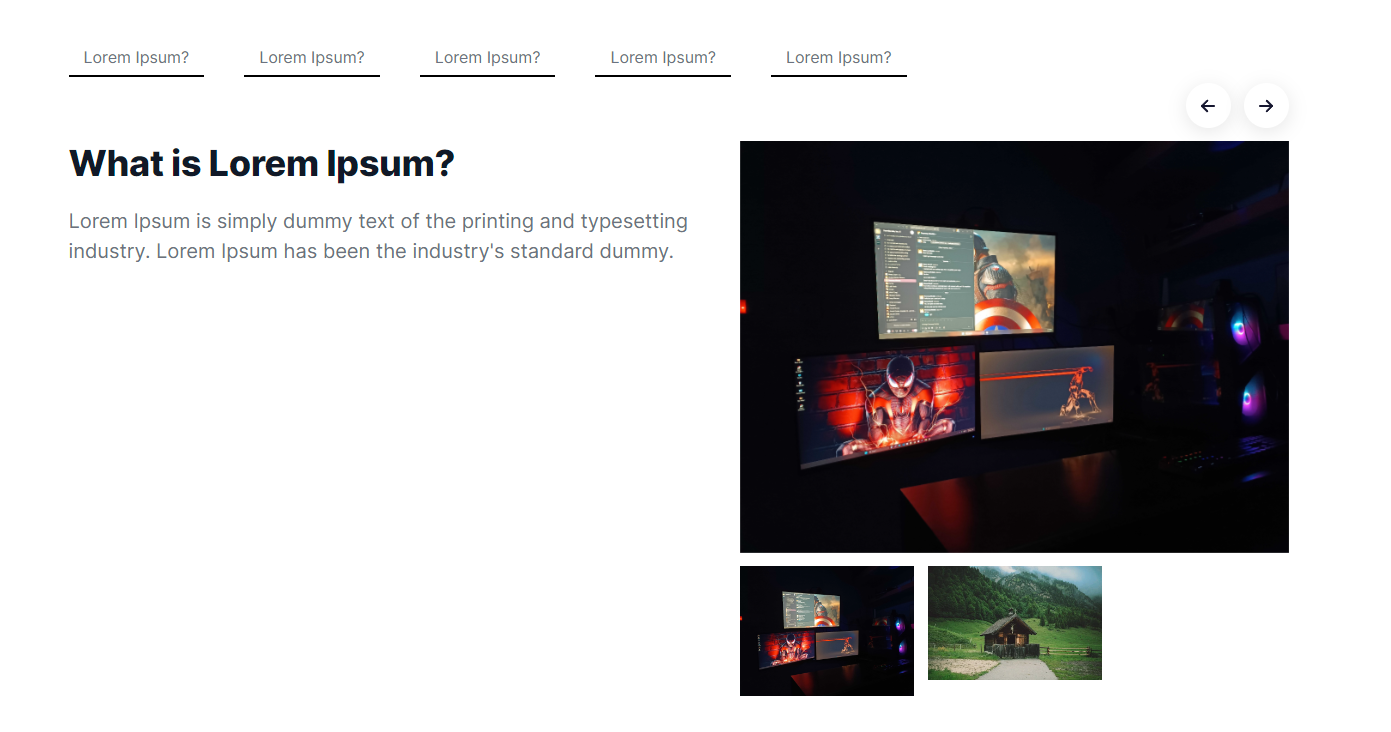
Tabber With Slider
This module is used to show Tabber with slider.
Field Used in Modules
Name
Description
Content Fields
- Id
- For uniquely identifying the module
- Class
- Add class for the module
- Tabber group
- Add Tabber items, title and content with image slider.
Style Fields
- Desktop Spacing
- For giving padding and margin on the module
- Mobile Spacing
- For giving padding and margin on the module in Mobile
- Background color and image
- For giving background color and image to the module
- Container
- Select the container width like fullwidth, container and custom.
- Card style
- Add card style list color, heading color, description color and active color
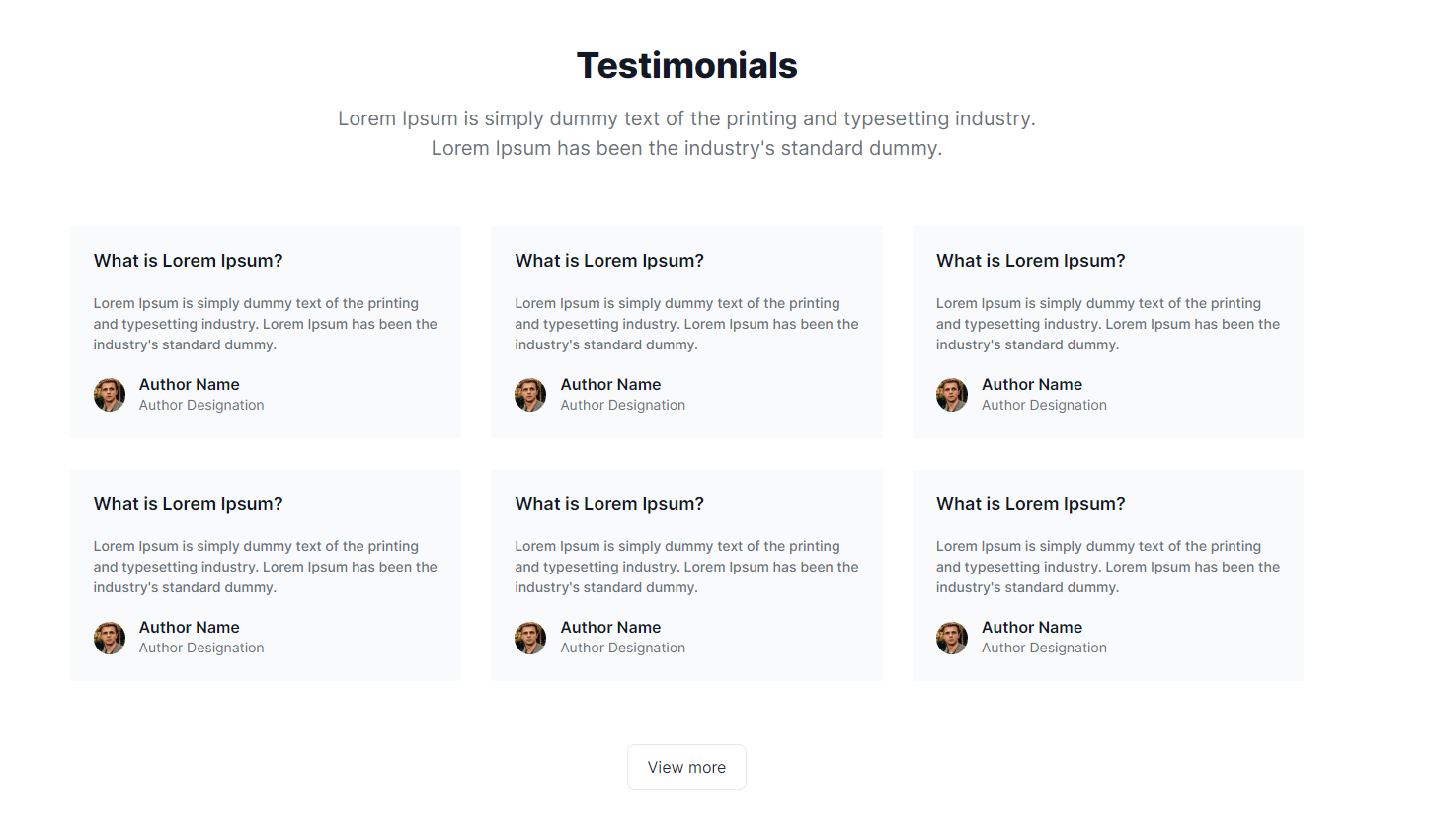
Testimonials With Cards
This module is used to show Testimonials.
Field Used in Modules
Name
Description
Content Fields
- Id
- For uniquely identifying the module
- Class
- Add class for the module
- Title
- For giving module title
- Description
- Insert an intro text
- Button Text
- Insert text of button
- Button Link
- Add Page on button
- Title
- For giving title
- Description
- Insert an description
- Author Name
- Write your author member
- Author Description
- insert designation of author
- Author Image
- insert image of author
Style Fields
- Desktop Spacing
- For giving padding and margin on the module
- Mobile Spacing
- For giving padding and margin on the module in Mobile
- Background color and image
- For giving background color and image to the module
- Container
- Select the container width like fullwidth, container and custom.
- Typography
- For giving heading color, description color and content alignment
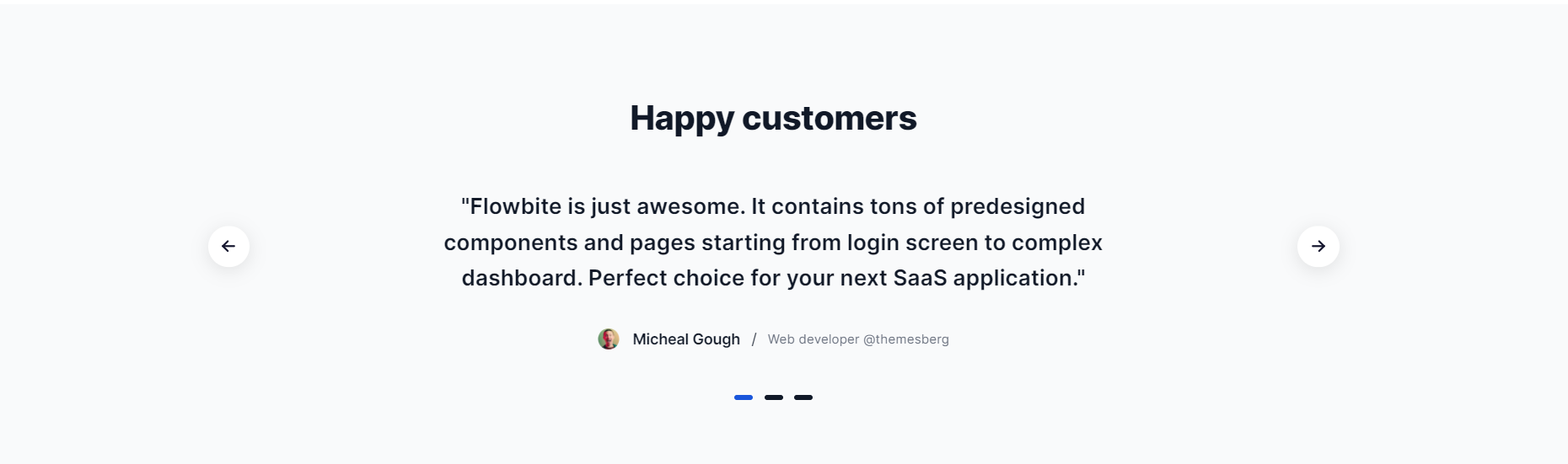
Testimonials
This module is used to show Testimonials.
Field Used in Modules
Name
Description
Content Fields
- Id
- For uniquely identifying the module
- Class
- Add class for the module
- Title
- For giving module title
- Description
- Insert an intro text
- Author Name
- Write your author member
- Author Description
- insert designation of author
- Author Image
- insert image of author
Style Fields
- Desktop Spacing
- For giving padding and margin on the module
- Mobile Spacing
- For giving padding and margin on the module in Mobile
- Background color and image
- For giving background color and image to the module
- Container
- Select the container width like fullwidth, container and custom.
- Typography
- For giving heading color, description color, content alignment and cards styling
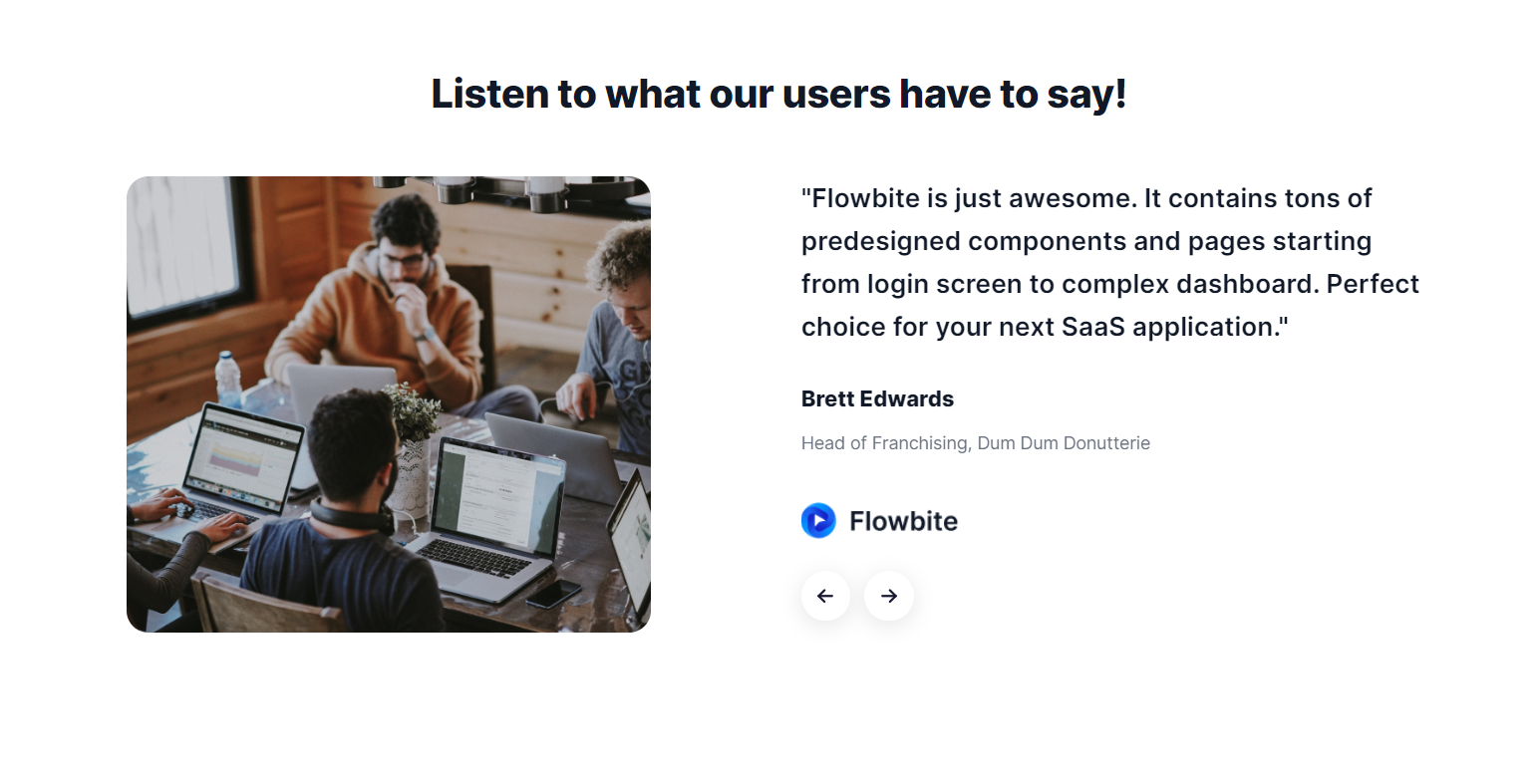
Testimonials With Two Column
This module is used to show Testimonials.
Field Used in Modules
Name
Description
Content Fields
- Id
- For uniquely identifying the module
- Class
- Add class for the module
- Title
- For giving module title
- Description
- Insert an intro text
- Left Image
- insert left image
- Author Name
- Write your author member
- Author Description
- insert designation of author
- Logo Image
- insert logo image
Style Fields
- Desktop Spacing
- For giving padding and margin on the module
- Mobile Spacing
- For giving padding and margin on the module in Mobile
- Background color and image
- For giving background color and image to the module
- Container
- Select the container width like fullwidth, container and custom.
- Typography
- For giving heading color, description color and author styling.
Two Column
This module is used to show Two Column.
Powering innovation at 200,000+ companies worldwide
Empower Developers, IT Ops, and business teams to collaborate at high velocity. Respond to changes and deliver great customer and employee service experiences fast.
Track work across the enterprise through an open, collaborative platform. Link issues across Jira and ingest data from other software development tools, so your IT support and operations teams have richer contextual information to rapidly respond to requests, incidents, and changes.
Deliver great service experiences fast - without the complexity of traditional ITSM solutions.Accelerate critical development work, eliminate toil, and deploy changes with ease, with a complete audit trail for every change.
Field Used in Modules
Name
Description
Content Fields
- Id
- For uniquely identifying the module
- Class
- Add class for the module
- Title
- For giving module title
- Description
- Insert an intro text
- Button
- Select button like standard, cta and popup
Style Fields
- Desktop Spacing
- For giving padding and margin on the module
- Mobile Spacing
- For giving padding and margin on the module in Mobile
- Background color and image
- For giving background color and image to the module
- Container
- Select the container width like fullwidth, container and custom.
- Typography
- For giving heading color, description color and content alignment
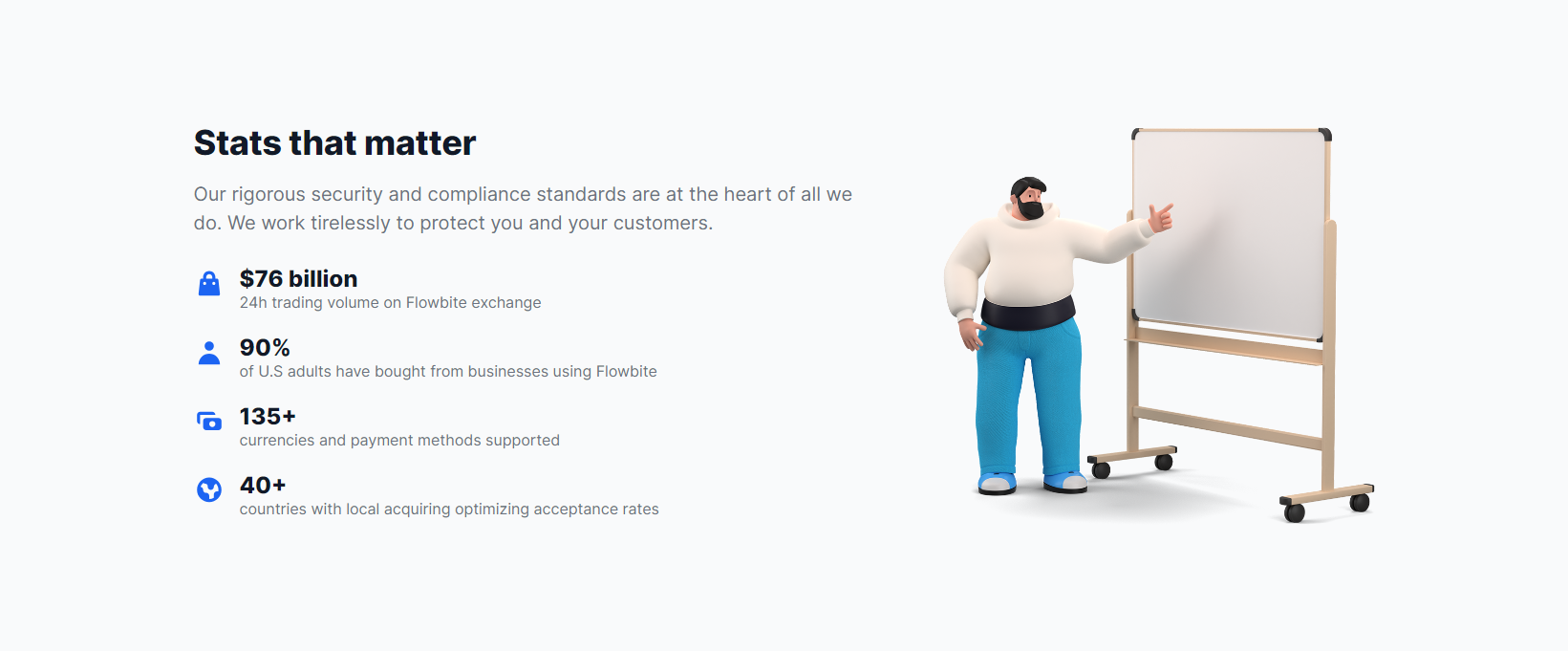
Two Column Content With Counter
This module is used to show Two Column Content With Counter.
Field Used in Modules
Name
Description
Content Fields
- Id
- For uniquely identifying the module
- Class
- Add class for the module
- Right Image
- insert right image
- Title
- For giving module title
- Description
- Insert an intro text
- Left Icon Image
- insert left icon image
- Title
- Insert an title
- Description
- Insert an description
Style Fields
- Desktop Spacing
- For giving padding and margin on the module
- Mobile Spacing
- For giving padding and margin on the module in Mobile
- Background color and image
- For giving background color and image to the module
- Container
- Select the container width like fullwidth, container and custom.
- Typography
- For giving heading color, description color and Counter card styling
Two Column Equal Content
This module is used to show two column equal content.

Work with tools you already use
Deliver great service experiences fast - without the complexity of traditional ITSM solutions.Accelerate critical development work, eliminate toil, and deploy changes with ease.
- Continuous integration and deployment
- Development workflow
- Knowledge management
Deliver great service experiences fast - without the complexity of traditional ITSM solutions.
Field Used in Modules
Name
Description
Content Fields
- Id
- For uniquely identifying the module
- Class
- Add class for the module
- Right Image
- insert right image
- Title
- For giving module title
- Description
- Insert an intro text
- Left Icon Image
- insert left icon image
- Title
- Insert an title
- Description
- Insert an description
Style Fields
- Desktop Spacing
- For giving padding and margin on the module
- Mobile Spacing
- For giving padding and margin on the module in Mobile
- Background color and image
- For giving background color and image to the module
- Container
- Select the container width like fullwidth, container and custom.
- Typography
- For giving heading color, description color and list color
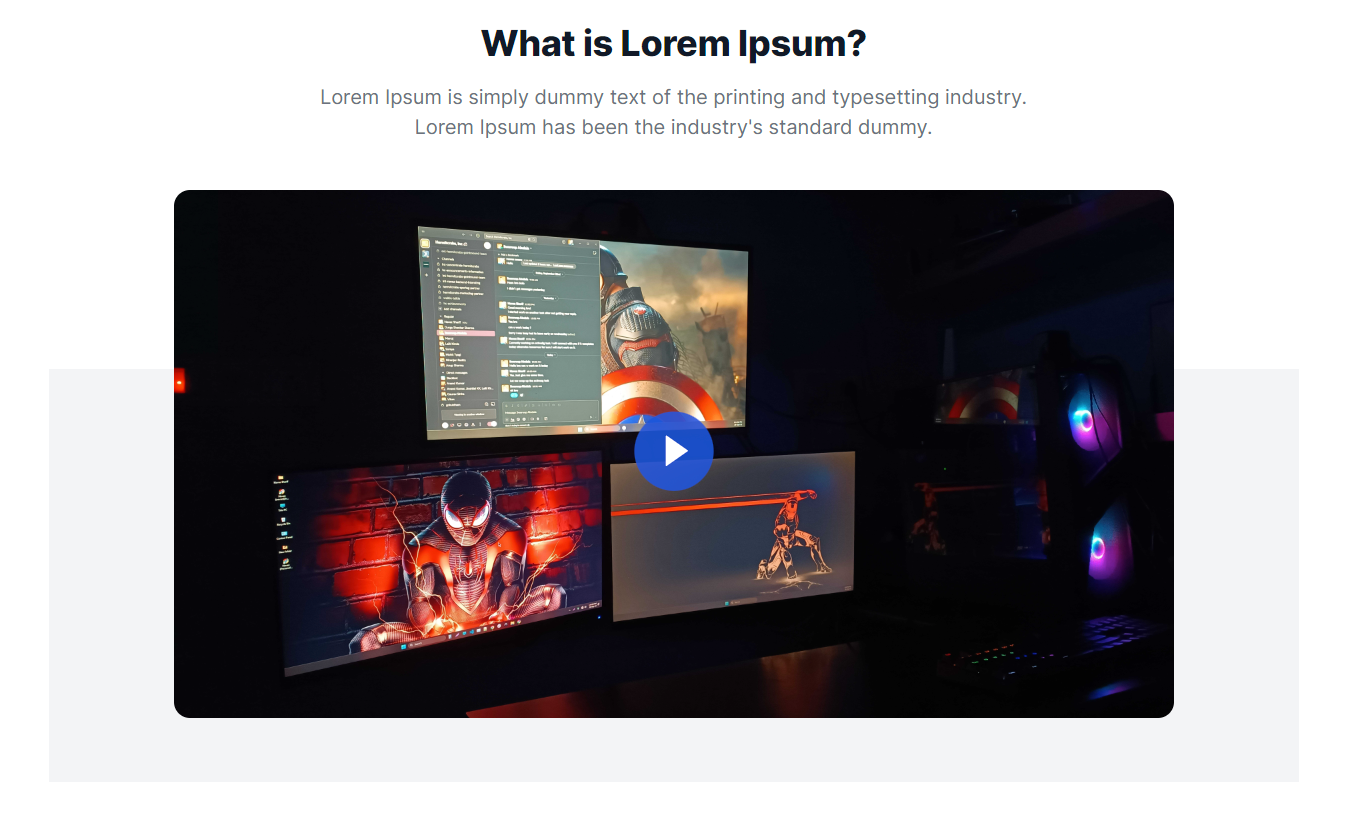
Video With Content
This module is used to show video.
Field Used in Modules
Name
Description
Content Fields
- Id
- For uniquely identifying the module
- Class
- Add class for the module
- Title
- For giving module title
- Description
- Insert an intro text
- Video Type
- Choose what type of video you want to display
Style Fields
- Desktop Spacing
- For giving padding and margin on the module
- Mobile Spacing
- For giving padding and margin on the module in Mobile
- Background color and image
- For giving background color and image to the module
- Container
- Select the container width like fullwidth, container and custom.
- Typography
- For giving heading color, description color, content alignment and play icon color
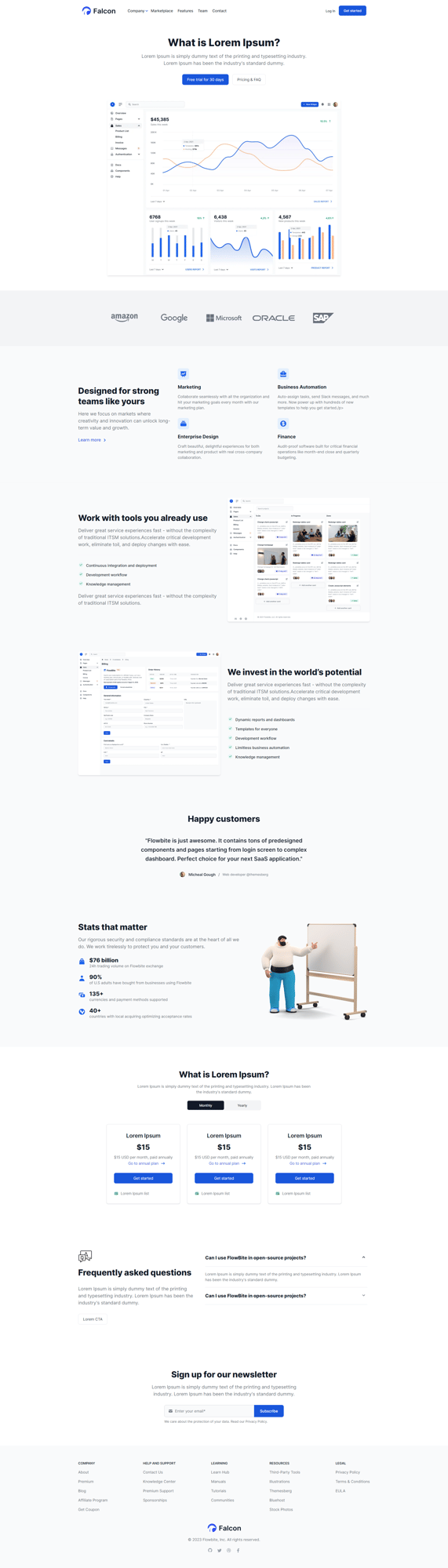
HOME PAGE
This is a sample of home page layout of your website.
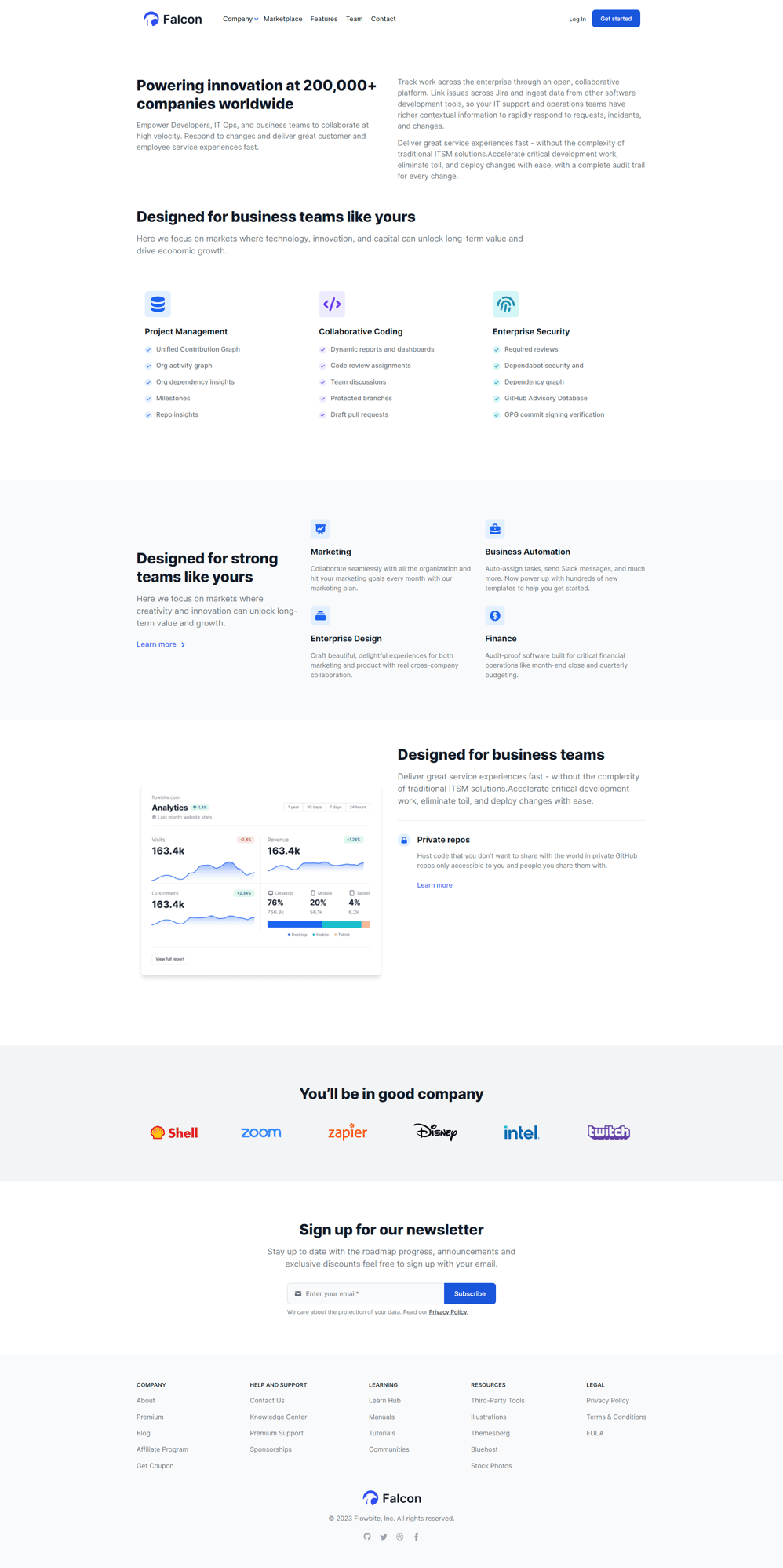
ABOUT PAGE
This is a sample of about page layout of your website.
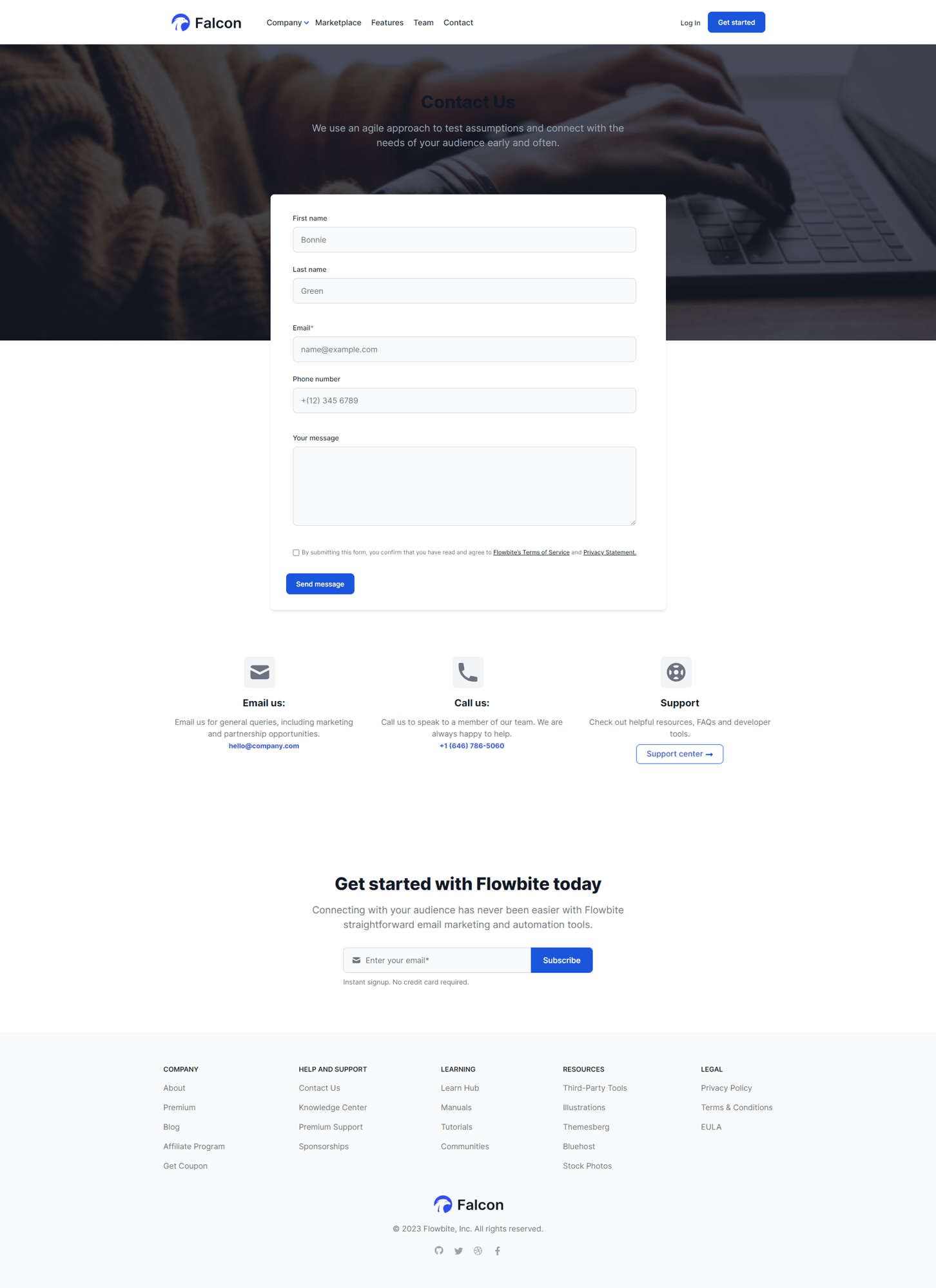
CONTACT PAGE
This is a sample of contact page layout of your website.
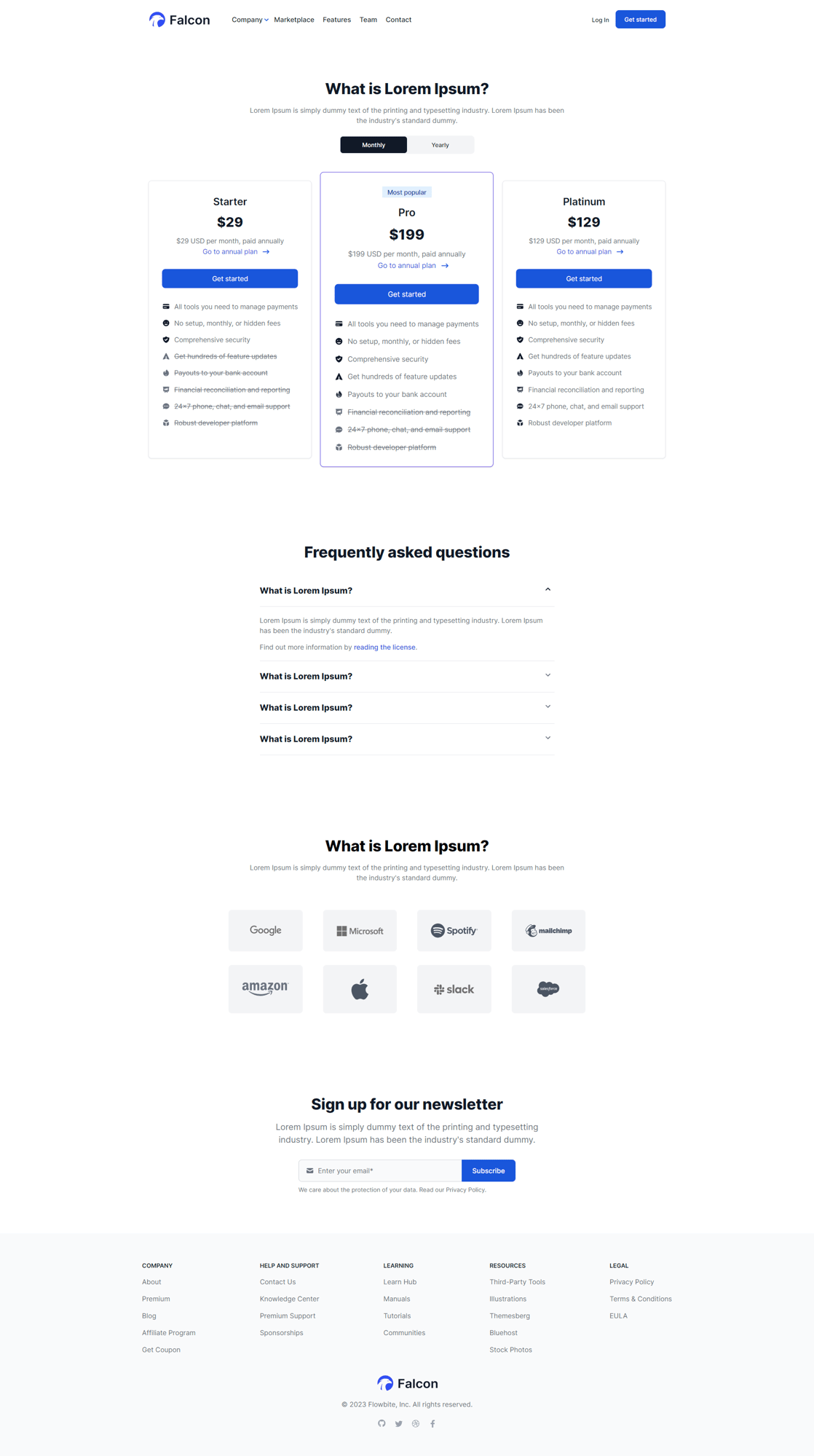
Pricing Page
This is a sample of pricing page layout of your website.
Team page
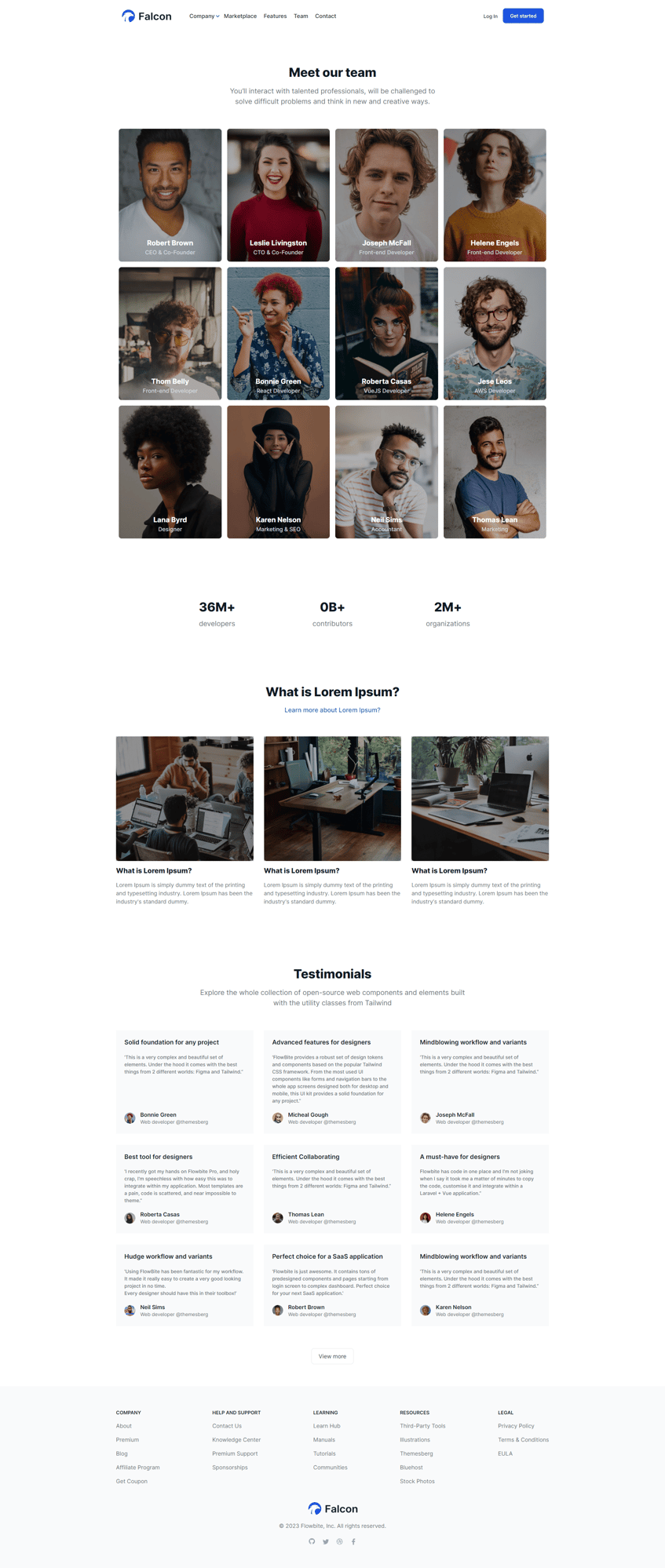
This is a sample of team page layout of your website.
Testimonials page
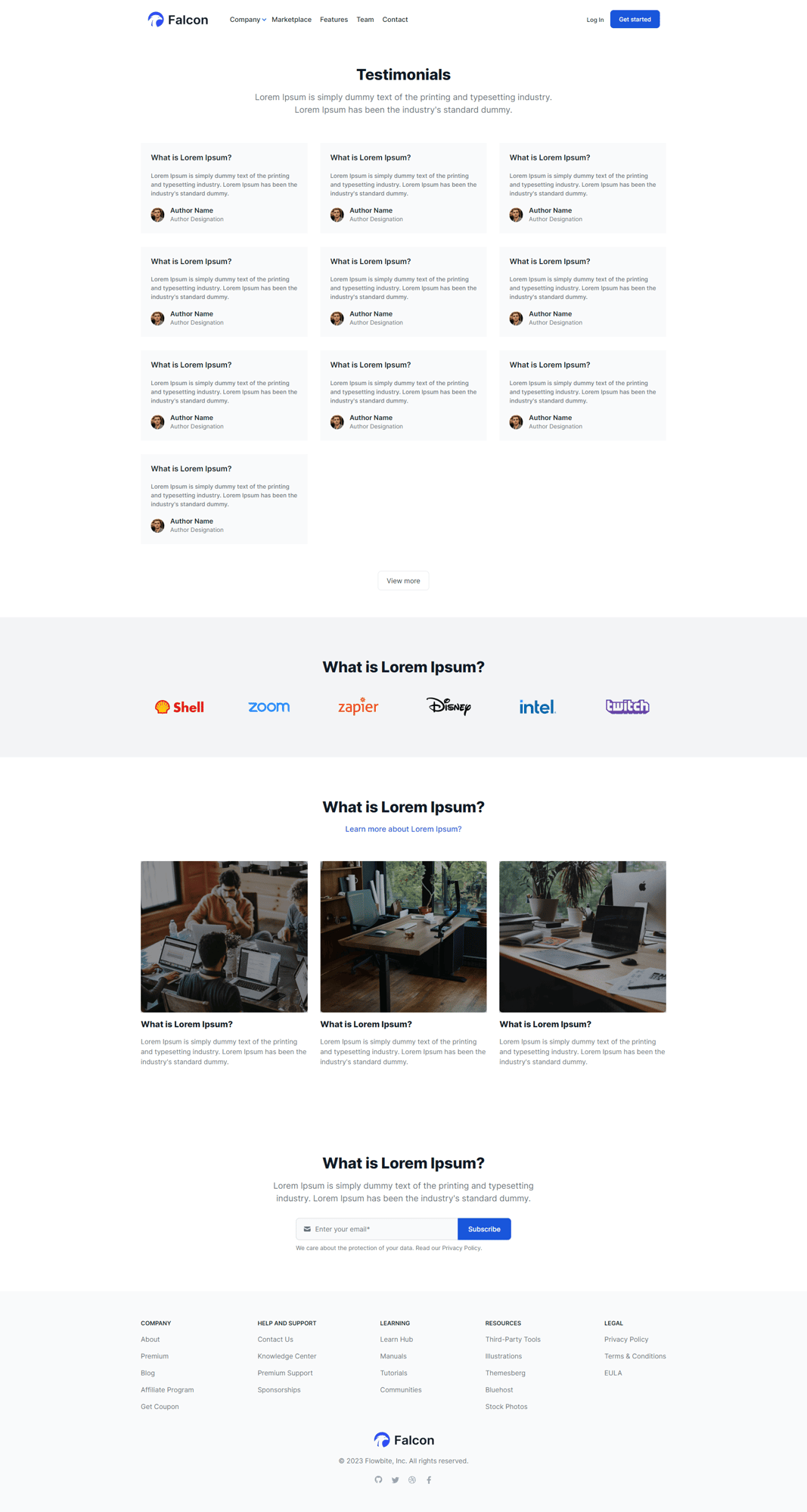
This is a sample of testimonials page layout of your website.
Terms And Conditions page
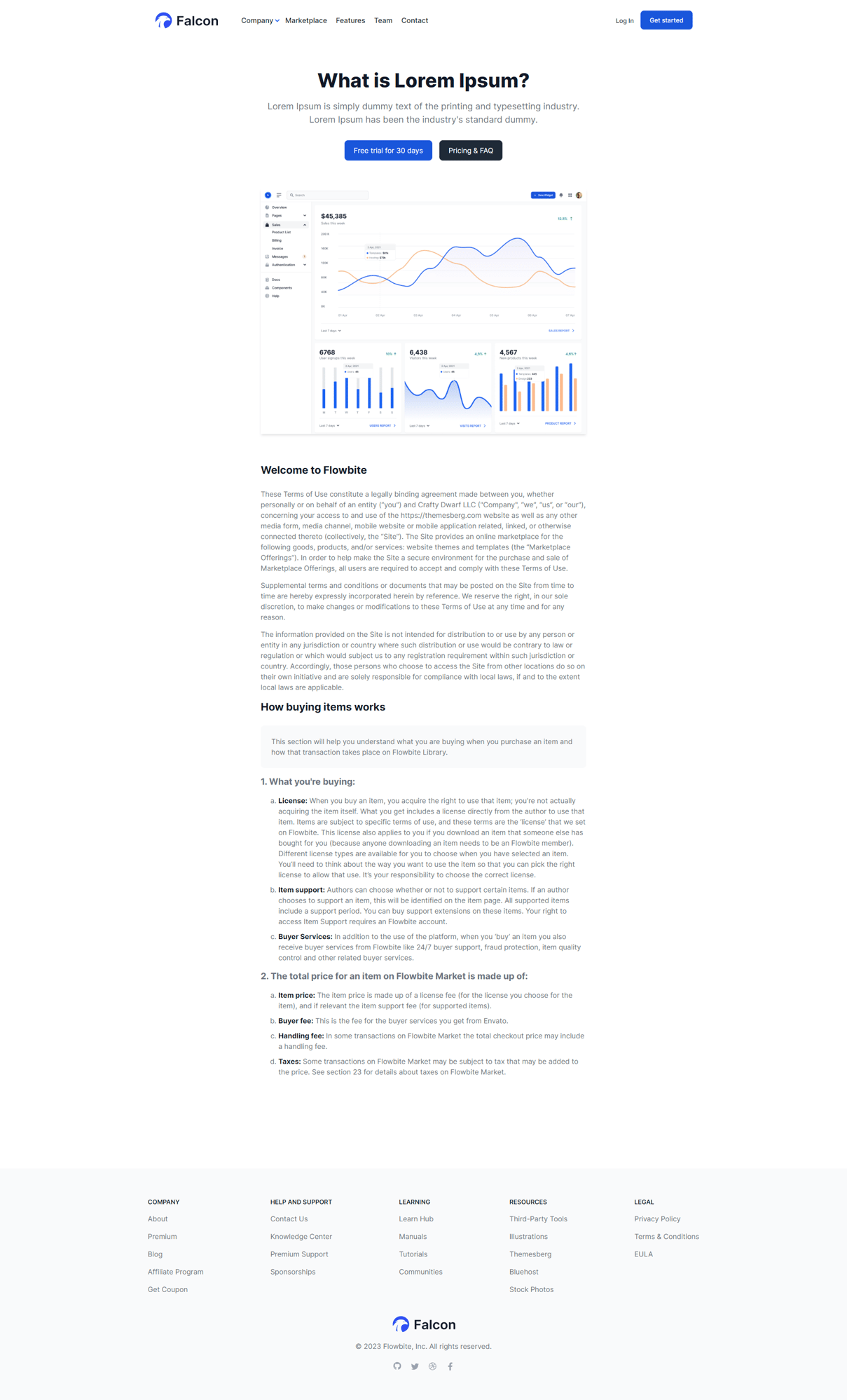
This is a sample of terms and conditions page layout of your website.
Services page
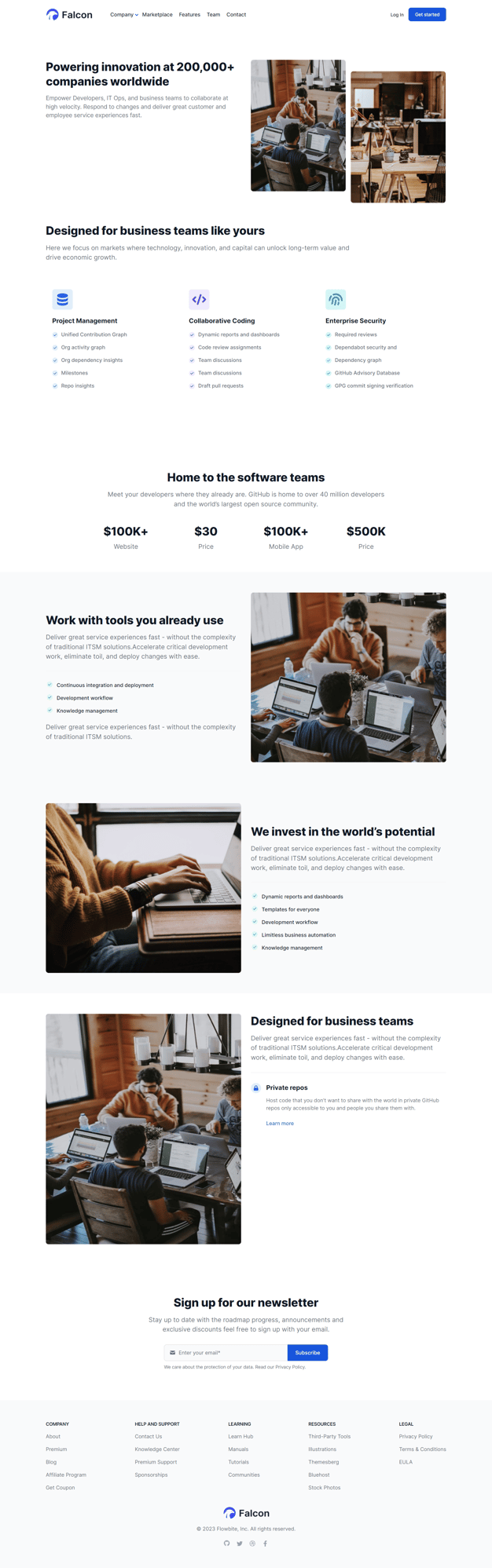
This is a sample of services page layout of your website.
landing page
This is a sample of landing page layout of your website.
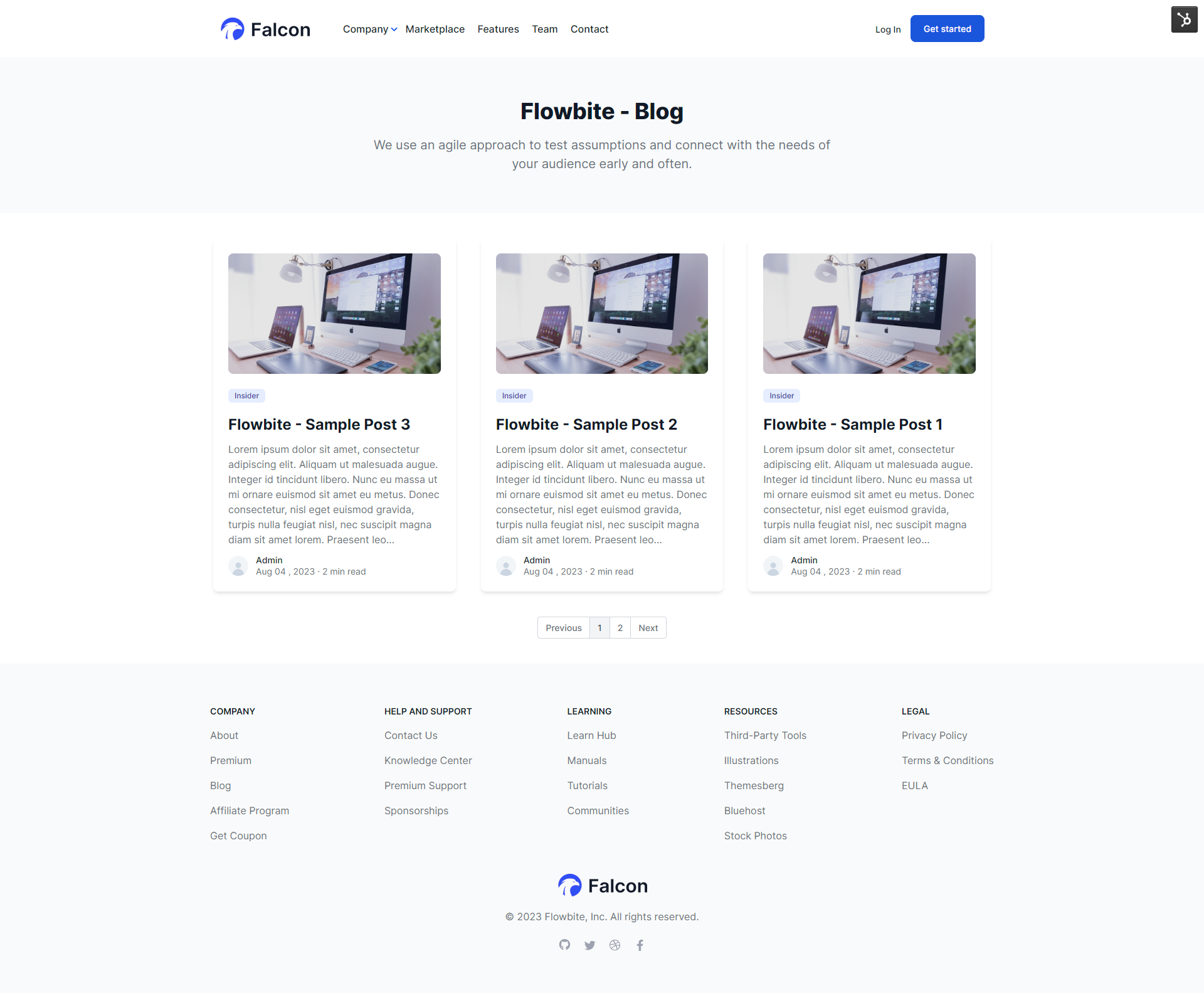
Blog Index
This is a sample of blog index layout of your website.
Blog Post
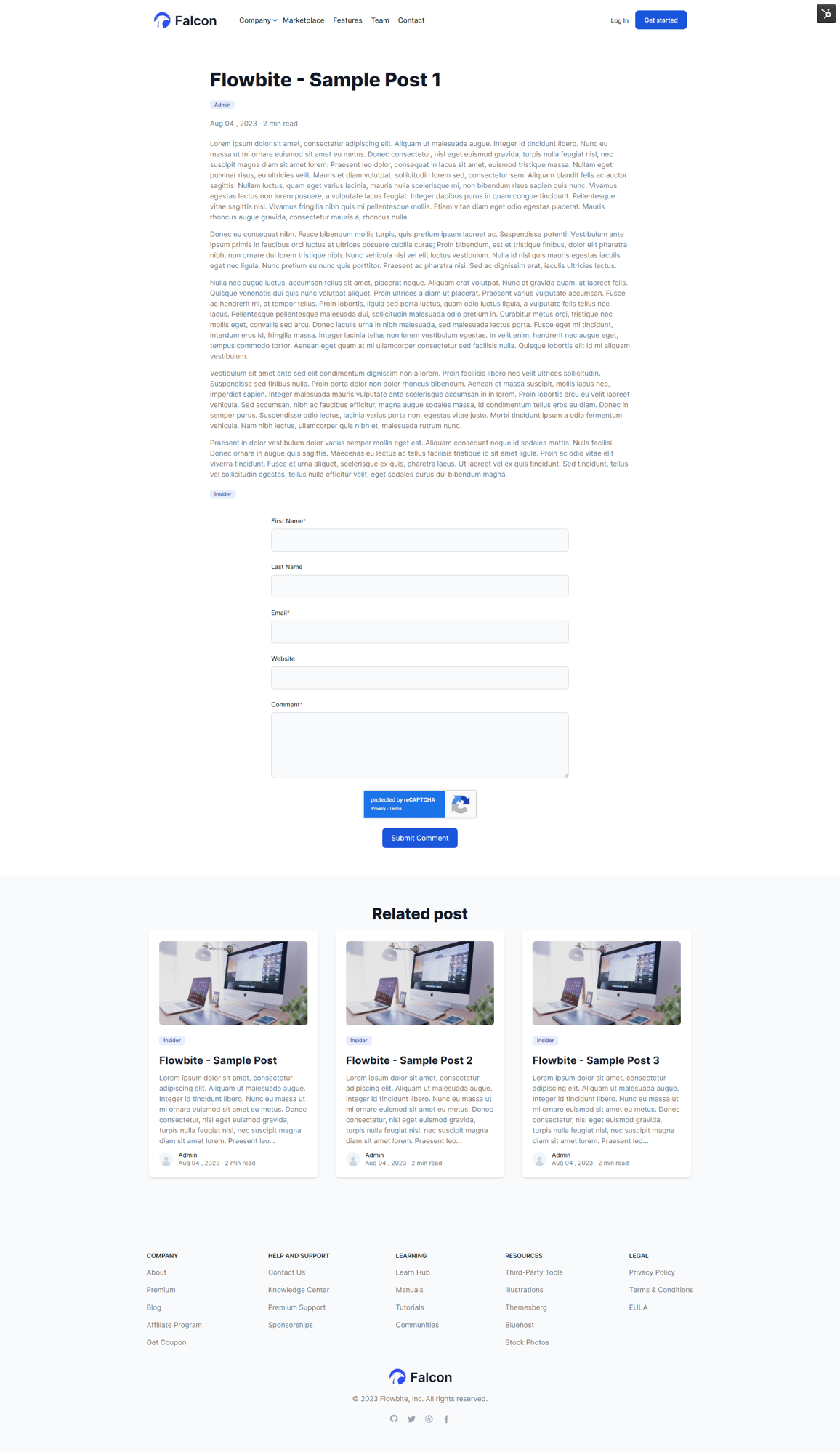
This is a sample of blog post layout of your website.